46
Chapter 2: Operating the Graphing Calculator
• Abouttheorderofprecedenceofthemultiplications,thatthe
multiplicationsign"×"beforesuchas"(",
π
and a variable is
abbreviated, are higher than that of the multiplications that the
multiplicationsign"×"isnotabbreviated.Therefore,ifthereisa
division before a multiplication, the order of calculations may be
changed and then the calculation results may be changed.
Example
48÷24×(6+2)=
48
=
24
|
(
6
+
2
)
E
→
16[(48÷24)×(6+2)=]
48
=
24
(
6
+
2
)
E
→
0.25[48÷(24×(6+2))=]
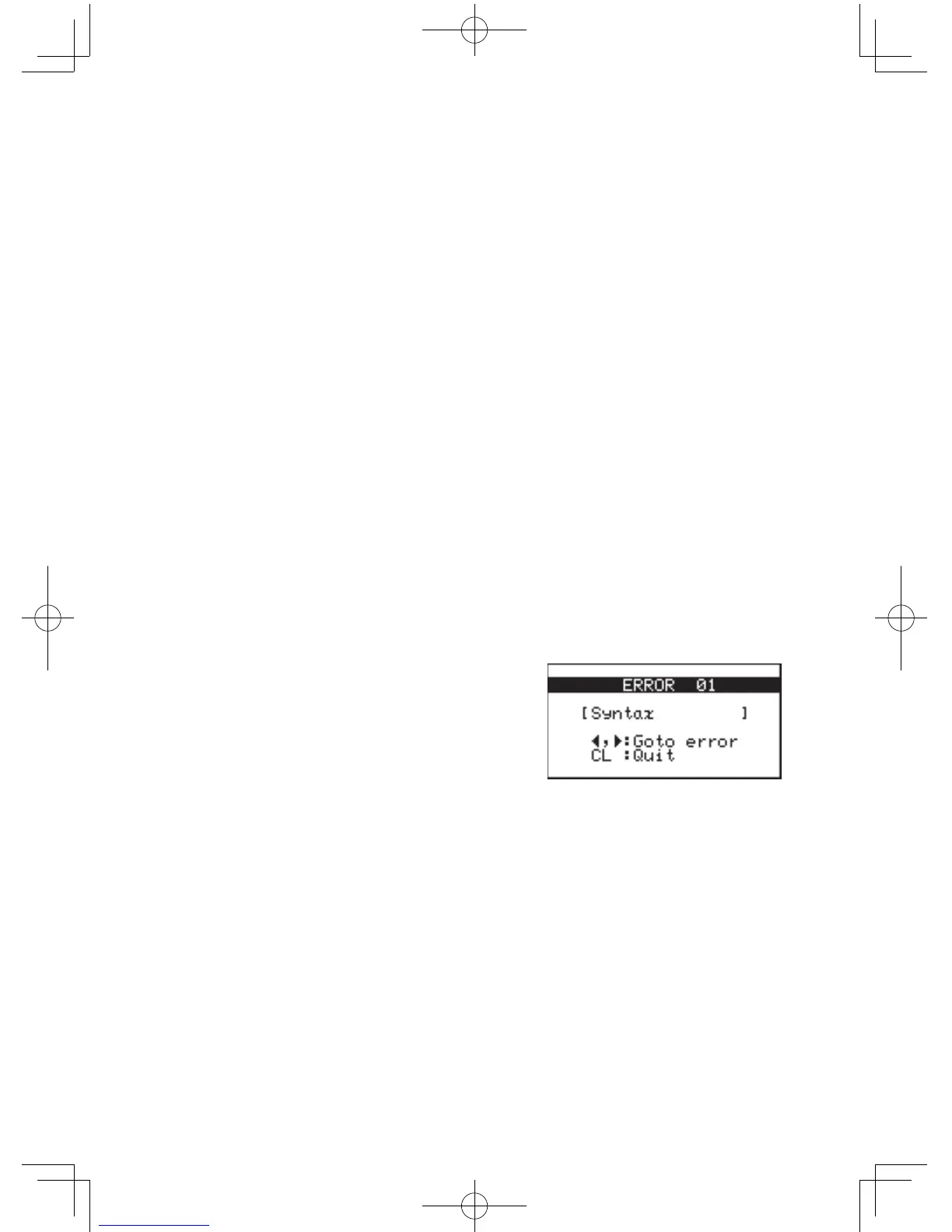
Error Messages
The calculator will display an error message when a given
command is handled incorrectly, or when instructions cannot be
handled correctly such that the task cannot be processed further.
Varioustypesoferrormessagesaregiventoinformusersthe
types of situations to be remedied.
Forexample,performingthe
following key strokes:
5
|
E
will result in an error, and the
error message will be displayed.
In such a situation, you can go back to the expression to correct
its syntax by pressing
;
or
'
, or you can erase the entire
line to start over by pressing
C
.
Foralistofvariouserrorcodesandmessages,refertothe
appendix.



 To Next Page