83
Chapter 4: Graphing Features
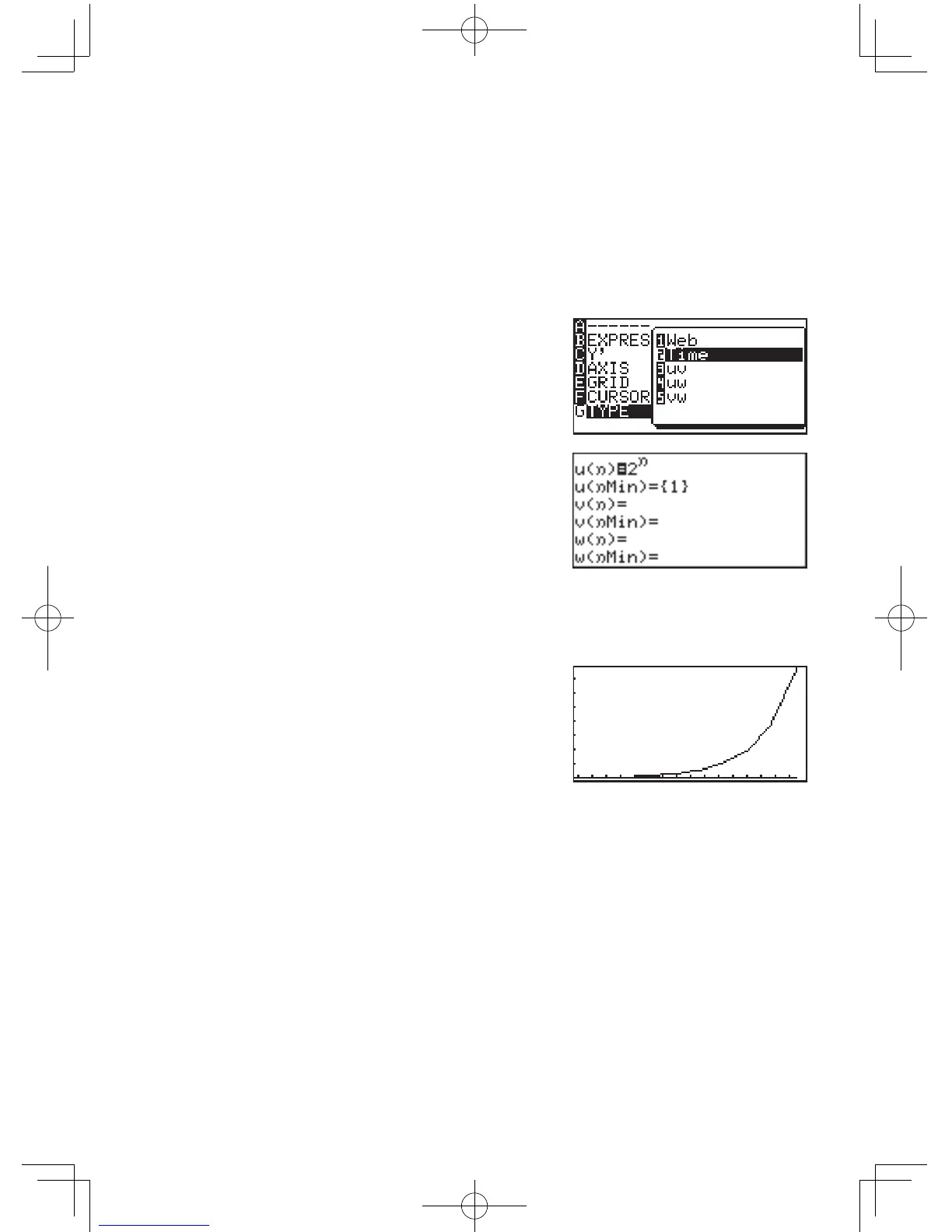
Example 1: Sequence representation when using the Time
default setting
Draw the sequence
u(n) = 2
n
First,ensurethatthegraphiccoordinatesaresettosequential(See
page 72).
1. Use
@
f
to navigate
totheFormatmenu.
2. Select
G
(TYPE)
2
(Time).
3. By pressing
Y
you now
enter the input window for
sequence equations.
The cursor is placed on the first
line,
u(n)
; pressing
C
will
delete existing entries and the
cursor will be moved to the right side of the equation.
4. Input
2
n
. Use the
X
key to input
n
.Andinput1for
u(nMin)
.
5. Select
Z
A
1
for
theautomaticzoomfunction
in order to set suitable window
settings automatically.
6. Using
U
, you can now read concrete values of the
sequence.



 To Next Page