Operating Element/
Display Element
Meaning
16 monochrome parameterizable LEDs
Local: On-site operation
Remote: Remote control
Interlocking OFF: Unlocked operation
Normal: locked operation with the configured interlocking conditions
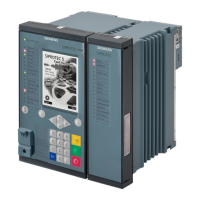
The on-site operation panel with push-buttons is equipped with 8 LEDs and 8 function keys. It can be used as
an on-site operation panel by almost all the I/O modules (except for the modules IO230, IO231). The push-
button module must be placed at position 3 in the 1st row. If the device has a key switch, then the push-
button module must be placed at position 4 in the 1st row. One push-button module is permitted per device.
Operating Element/
Display Element
Meaning
8 monochrome parameterizable LEDs
Keypad with programmable function keys for fast execution of actions. Next to
the keypad, there are labeling strips for user-defined labels.
Forms of Devices and On-Site Operation Panels
2.4 On-Site Operation Panels
SIPROTEC 5, Hardware Description, Manual 45
C53000-G5040-C002-N, Edition 04.2022


 To Next Page
 Loading...