Refrigerated Centrifuge Sigma 8KS
Refrigerated Centrifuge Sigma 8KBS
Version 08/2012, Rev. 2.5 of 02/07/2018 • sb
Translation of the original operating manual, part no. 0702502
Pos: 159 /100 Sig ma/100 BA Ze ntrifugen Sig ma (Standardmo dule)/060 Betrieb _Spincontr ol L+S/Spinco ntrol S (Zent7)/0 60-0030-0020-0 060 Menü P arameter - nur KS @ 27\mod_1 405320218640 _68.docx @ 193305 @ 4 @ 1
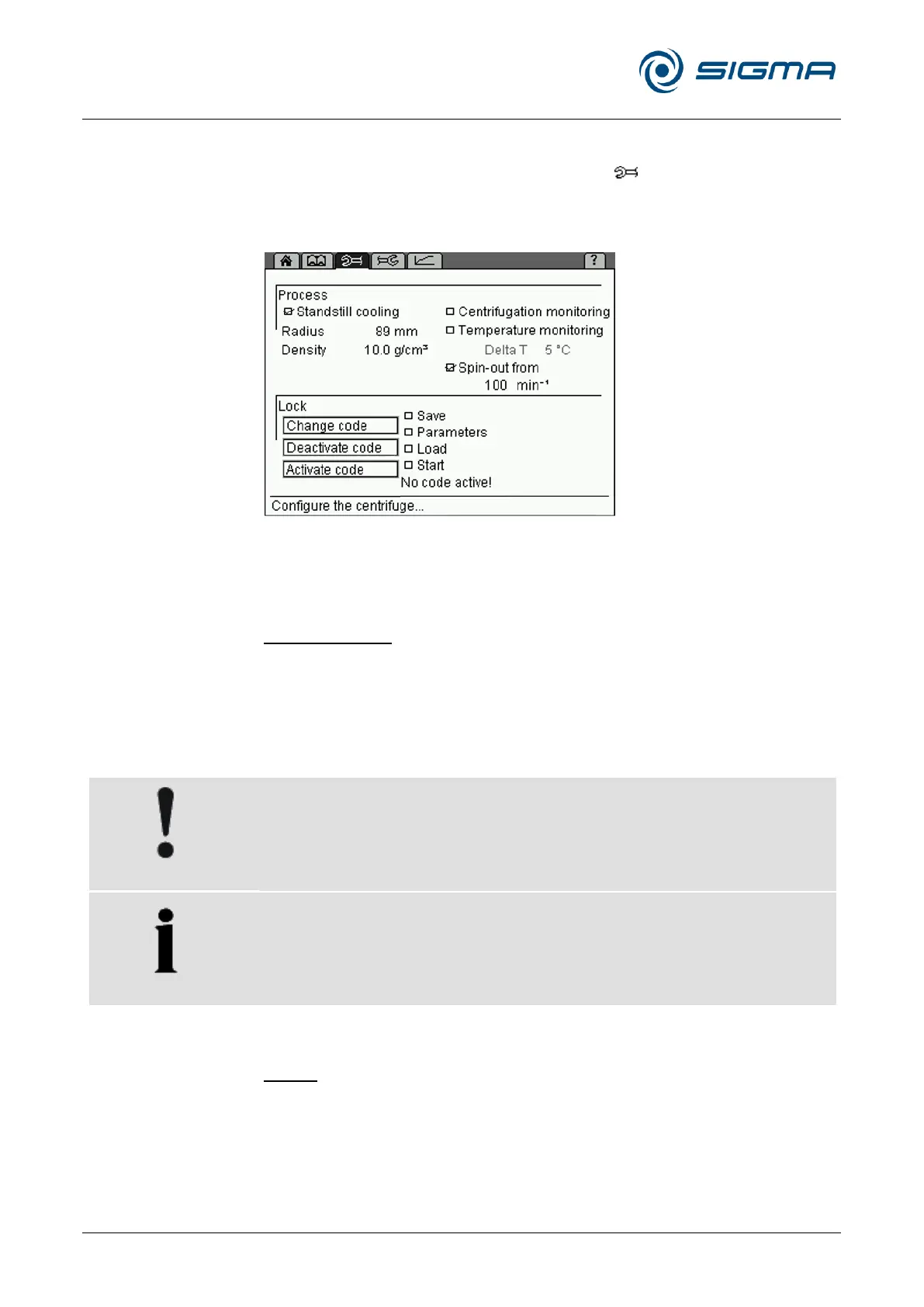
6.3.2.7 Parameters menu
The "Parameters" menu is symbolised by the " " symbol on the menu
bar. It is used to specify various conditions for the centrifugation. These
conditions are used to monitor the process and to control access to the
centrifuge.
Fig. 30: Menu "Parameters"
Process
Standstill cooling
Depending on the substances to be centrifuged, it may make sense to
precool the centrifuge. The precooling prevents the cooled samples in the
uncooled centrifuge from heating up to an inadmissible temperature level.
If the standstill cooling function is activated, the centrifuge starts to precool
after it is switched on. In the runtime field, the symbol "" is displayed. The
lid must be closed.
Unmoved air in the rotor chamber leads to an incorrect measuring and
control behaviour and causes the compressor to freeze over. At
temperatures below 0°C, aqueous liquids will freeze, thereby preventing
sedimentation.
• Do not cool the rotor below 0°C at a standstill.
The centrifuge is equipped with the "RAPID_TEMP" program. This
program is used to precool the rotor chamber quickly under defined
conditions (see chapter 6.3.2.5 - "Standard menu", Program list).
Radius
The radius determines the value of the relative centrifugal force (RCF) that
the sample is subjected to. Normally, the maximum RCF value is displayed.
If the value is reduced manually, a downward facing arrow "" will be
displayed in the RCF field.



 To Next Page