Refrigerated Centrifuge Sigma 8KS
Refrigerated Centrifuge Sigma 8KBS
Version 08/2012, Rev. 2.5 of 02/07/2018 • sb
Translation of the original operating manual, part no. 0702502
Pos: 174 /100 Sig ma/100 BA Ze ntrifugen Sig ma (Standardm odule)/060 Betr ieb_Spincontrol L+S/Spinco ntrol S (Zent7)/060- 0030-0030-0 010 Program m speichern @ 2 7\mod_140 5320237832_68.d ocx @ 193487 @ 4 @ 1
6.3.3.1 Saving a program
• Enter the parameters that are to be included in the program.
• Select the option "Progr" in the "Standard" menu and confirm the
selection. The program list will be displayed.
• Select a storage location from the program list.
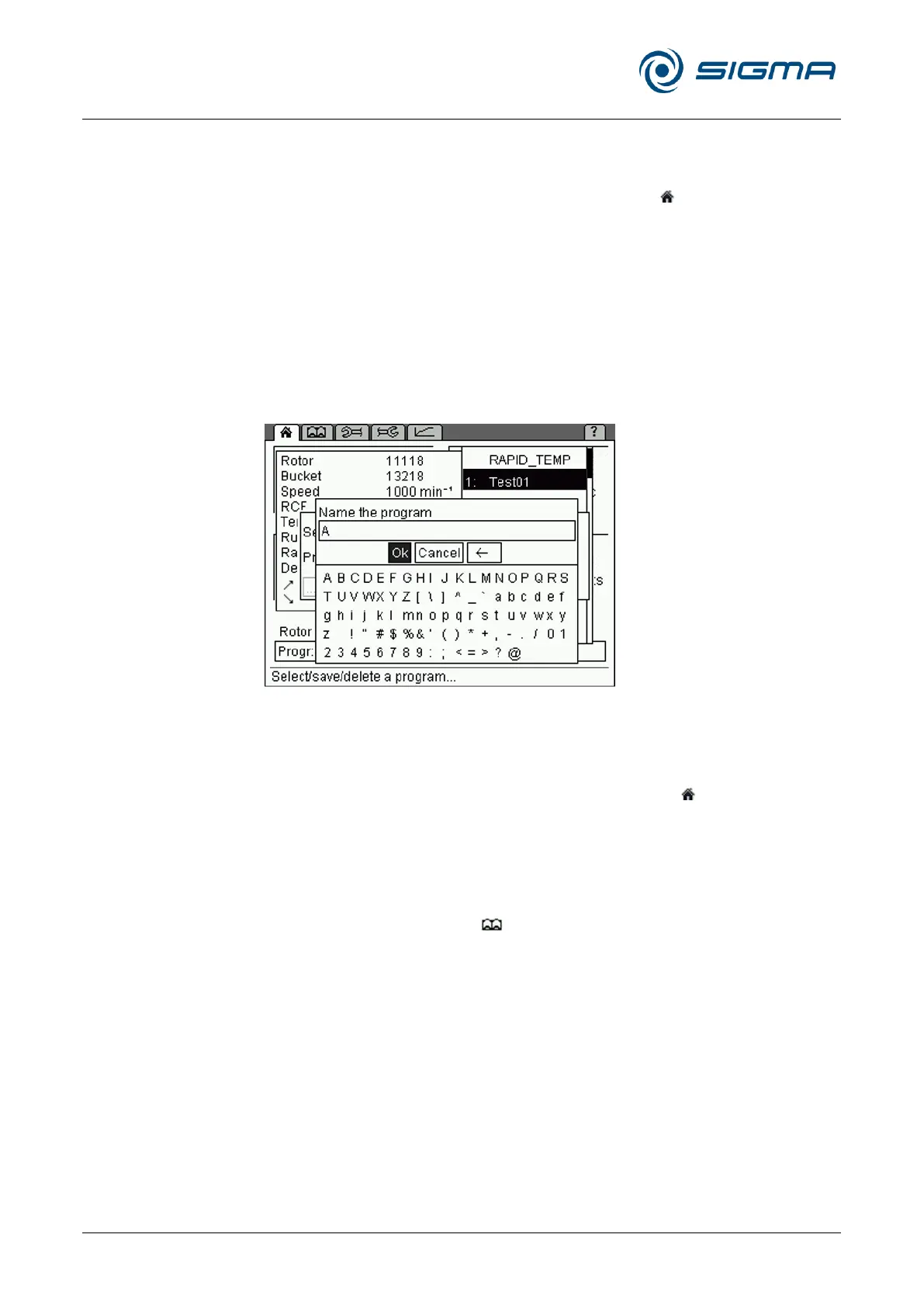
• Save the program under the desired name. The letters and characters
can be entered when the cursor flashes in the text field.
– Turn the function knob in order to select a letter and press it to
confirm the selection. Then, the next character can be selected.
– Pressing the arrow button will delete the last character.
• When the program name is complete, select "OK" and confirm it.
The program will be saved and the "Standard" menu will be displayed.
Fig. 38: Assignment of a program name prior to saving the program
Pos: 175 /010 Uni versalmodul e/ Leerz eile @ 0\mod_12 02116244500 _0.docx @ 1 14 @ @ 1
Pos: 176 /100 Sig ma/100 BA Ze ntrifugen Sig ma (Standardmo dule)/060 Betrieb _Spincontrol L+S/Spincontrol S (Z ent7)/060- 0030-0030-0 020 Program m laden @ 27\ mod_140532024 0684_68.docx @ 193515 @ 4 @ 1
6.3.3.2 Loading a program
• Select the option "Progr" from the "Standard" menu and confirm the
selection by pressing the function knob. The program list will be
displayed.
• Select the desired program from the list and confirm the selection by
pressing the function knob.
Or:
• Open the process library , select the desired program, and confirm
the selection by pressing the function knob.
The program will be loaded and the "Standard" menu will be displayed.



 To Next Page