Refrigerated Centrifuge Sigma 8KS
Refrigerated Centrifuge Sigma 8KBS
Version 08/2012, Rev. 2.5 of 02/07/2018 • sb
Translation of the original operating manual, part no. 0702502
Restrictions
• Acceleration and deceleration curves can include intervals with a
positive slope as well as intervals with a negative slope and also
intervals with 0 slope.
• The slope of the curve intervals can be 1 min
-1
/sec (rpm/sec) minimum
and 1000 min
-1
/sec (rpm/sec) maximum.
• Quadratic curve intervals are only possible between 0 and 1000 min
-1
(rpm) maximum. If a final speed > 1000 min
-1
(rpm) is selected, this
interval will automatically become linear above 1000 min
-1
(rpm).
• The possible runtime results from the maximum possible speed
(depending on the rotor) and from the slope limitation.
Example 1: Start speed 0 min
-1
(rpm), final speed 100 min
-1
(rpm),
runtime 1 hour not possible, since the necessary slope < 0.03 min
-1
(rpm), which means that it is beyond the defined range.
Example 2: Start speed 0 min
-1
(rpm), final speed 15000 min
-1
(rpm),
runtime 10 sec. not possible, since the necessary slope is 1500 min
-1
(rpm), which means that it is beyond the defined range.
Pos: 164 /010 Uni versalmodule/ Leerzeile @ 0\mod_12 02116244500 _0.docx @ 1 14 @ @ 1
Pos: 165 /100 Sig ma/100 BA Ze ntrifugen Sig ma (Standardmo dule)/060 Betrieb _Spincontrol L+S/Spincontrol S (Z ent7)/060- 0030-0020-0 085 Menü B arcode @ 27\m od_1405320229 578_68.doc x @ 193402 @ 4 @ 1
6.3.2.10 Option: Barcode menu
In order to connect a barcode scanner, the centrifuge must be equipped
with a second RS232 interface and a corresponding circuit board.
If the centrifuge is equipped with the barcode scanner function, the symbol
" " will be displayed on the menu bar. In order to use this function, a PC
and a barcode scanner must be connected to the RS232 interface.
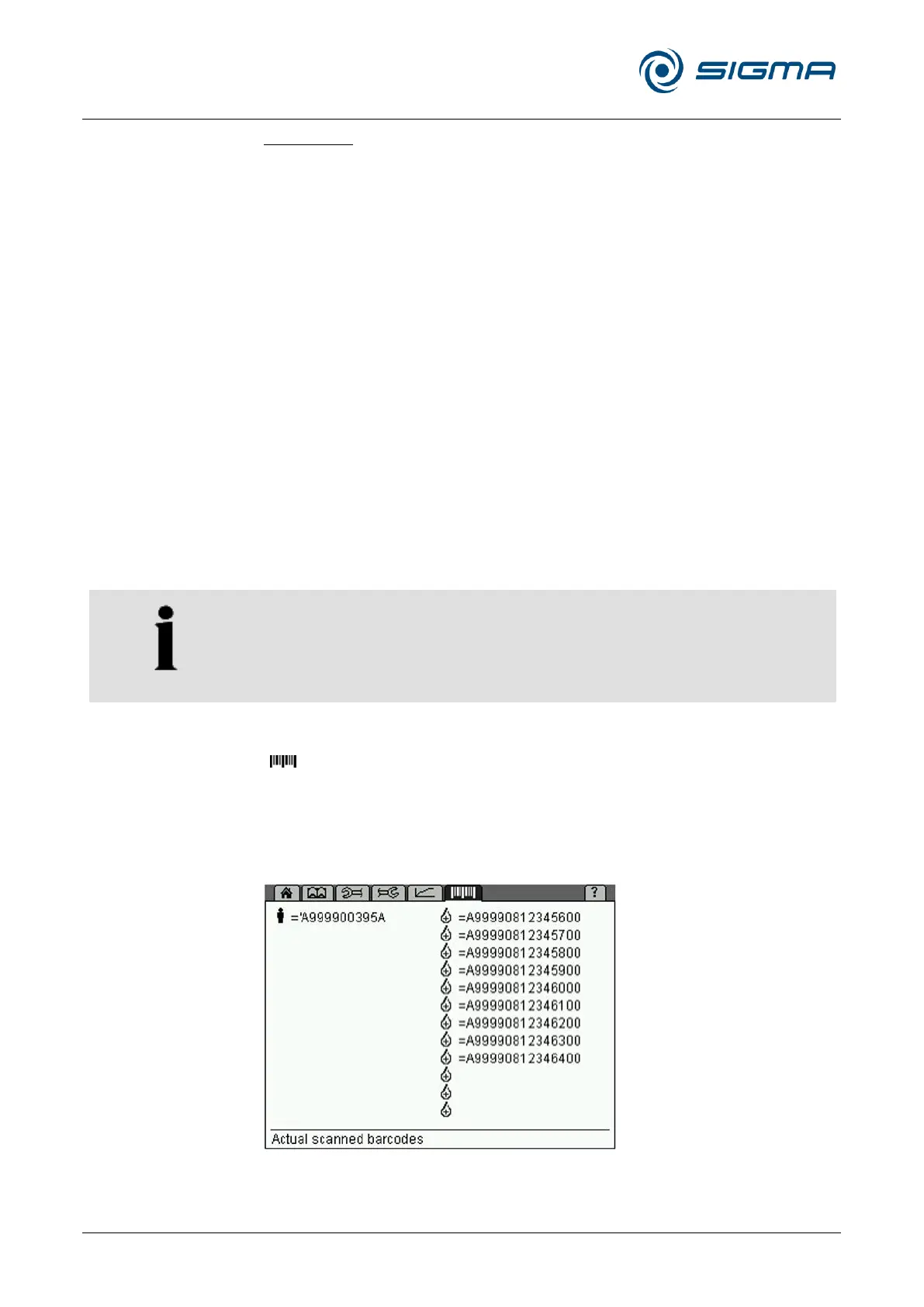
The "Barcode" menu shows all of the codes that are stored in the control
system. Data structure 020 is displayed in the left-hand area of the screen,
and data structure 001 is in the right-hand area. Free storage locations are
symbolised by symbols without any code.
Fig. 35: Barcode menu



 To Next Page