Model 4821/4820 Control/Communicator Installation Manual
3-14 150963
3.4.6 Anti-Passback Operations
The menu is for controlling the anti-passback feature. It allows you to change
users’ anti-passback status so that they can access or be prevented from accessing the system.
When you press [Maintenance or Installer’s Code], the following menu options
display.
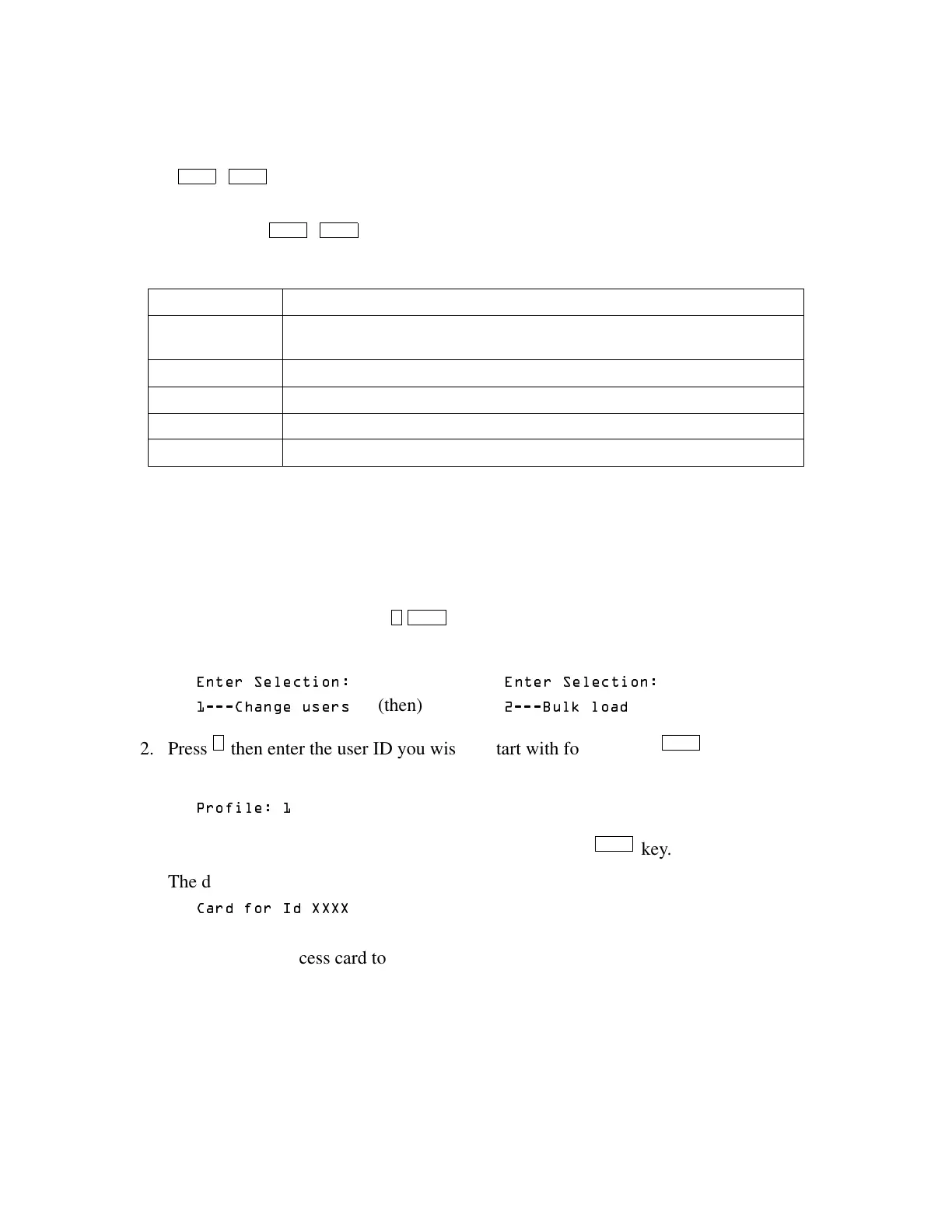
3.4.7 Bulk Loading Access Cards
Bulk loading of access card allows you to enter multiple successive access cards in one proce-
dure. Follow these steps to bulk load access cards:
1. This can be done by pressing .
The display on the touchpad will read:
(OUFS 6FMFDUJPO (OUFS 6FMFDUJPO
&IBOHF VTFST
(then)
%VML M PBE
2. Press then enter the user ID you wish to start with followed by .
The display on the touchpad will read:
3SPGJMF
3. When prompted, enter a profile number followed by the key.
The display on the touchpad will read:
&BSE GPS ,E ;;;;
Note: XXXX equals the number entered in step 2.
4. Present a valid access card to the card reader.
The access card will be added to the system immediately followed by a success beep. The
user ID will increase by one.
Note: If the card is already in the system, a failure beep sounds and you are taken back to step 2.
5. Repeat step 4 until all access cards are presented.
1 - User Status Use to check the user’s current status (for example, In or Out).
2 - Forgive Forgive means allow the user to enter or exit a door even though the system has
detected a problem with the users’ anti-passback status.
3 - Lockout User Change the user’s status so he or she will be unable to enter the building.
4 - Num User In Use this option to see how many users have “In” status.
5 - Forgive All Reset anti-passback status and allow all users to enter the next time they attempt.
MUTE - Exit Press to exit the menu.
DOOR ENTR
DOOR ENTR
7 ENTR
2 ENTR
ENTR



 To Next Page