4-17
Scanner
4
4
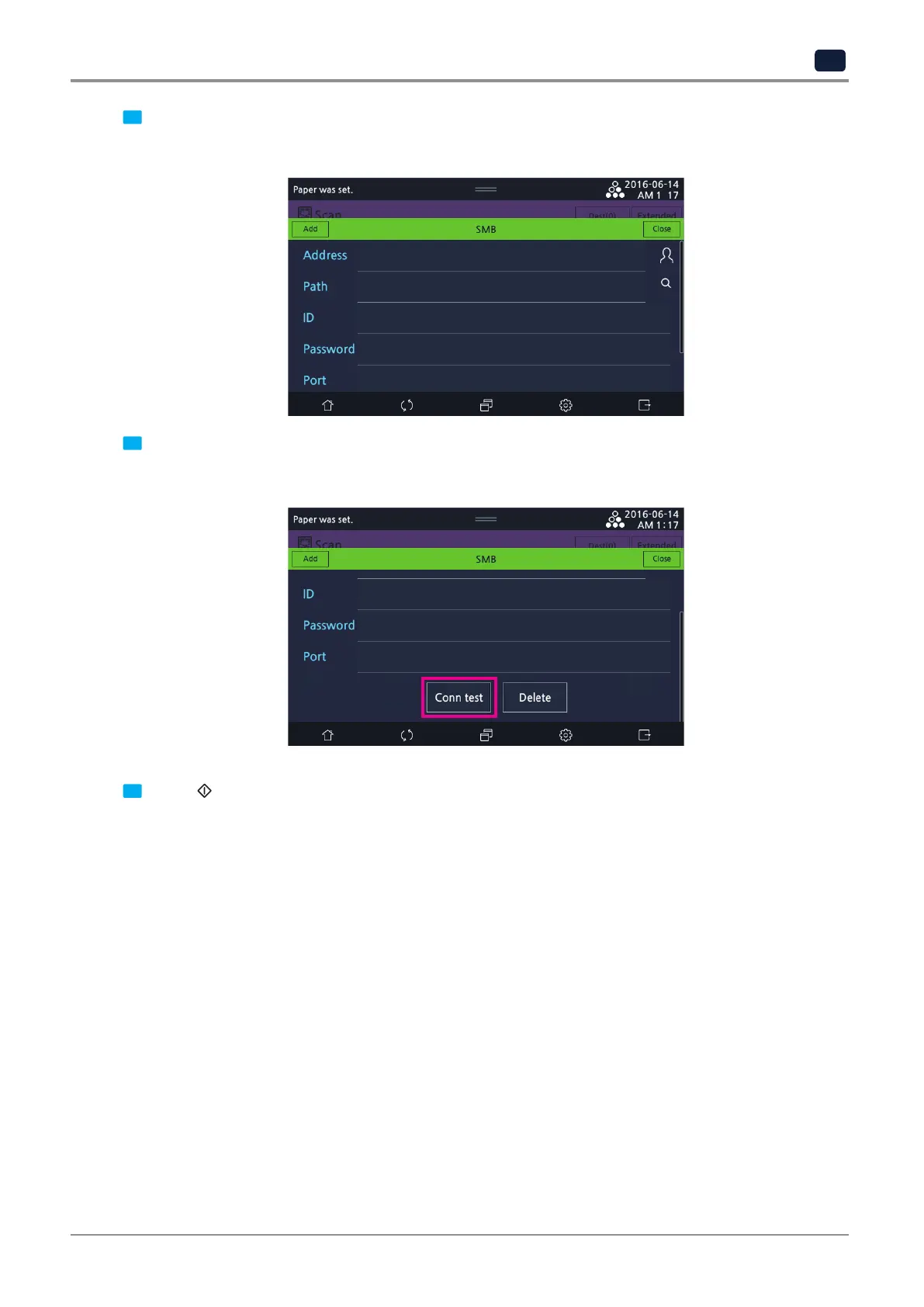
Fill out the field for
[Address], [Path], [ID], [Password],
and
[Port]
on the LCD screen.
Direct input or selection from Contacts is available to fill out
[Address].
When address is registered in Contacts, find and select a desired address.
5
Select
[Conn test]
to check the connection. If connection is unsuccessful, the shared folder cannot be
connected.
Enter a new address or select
[Delete]
. When checking connection is finished, press
[Close].
6
Select 【
】 button to scan the document and then the image is sent to the shared folder.



 To Next Page