2-13
Copying
2
6) Collate sort
Make sets of copies in the page order.
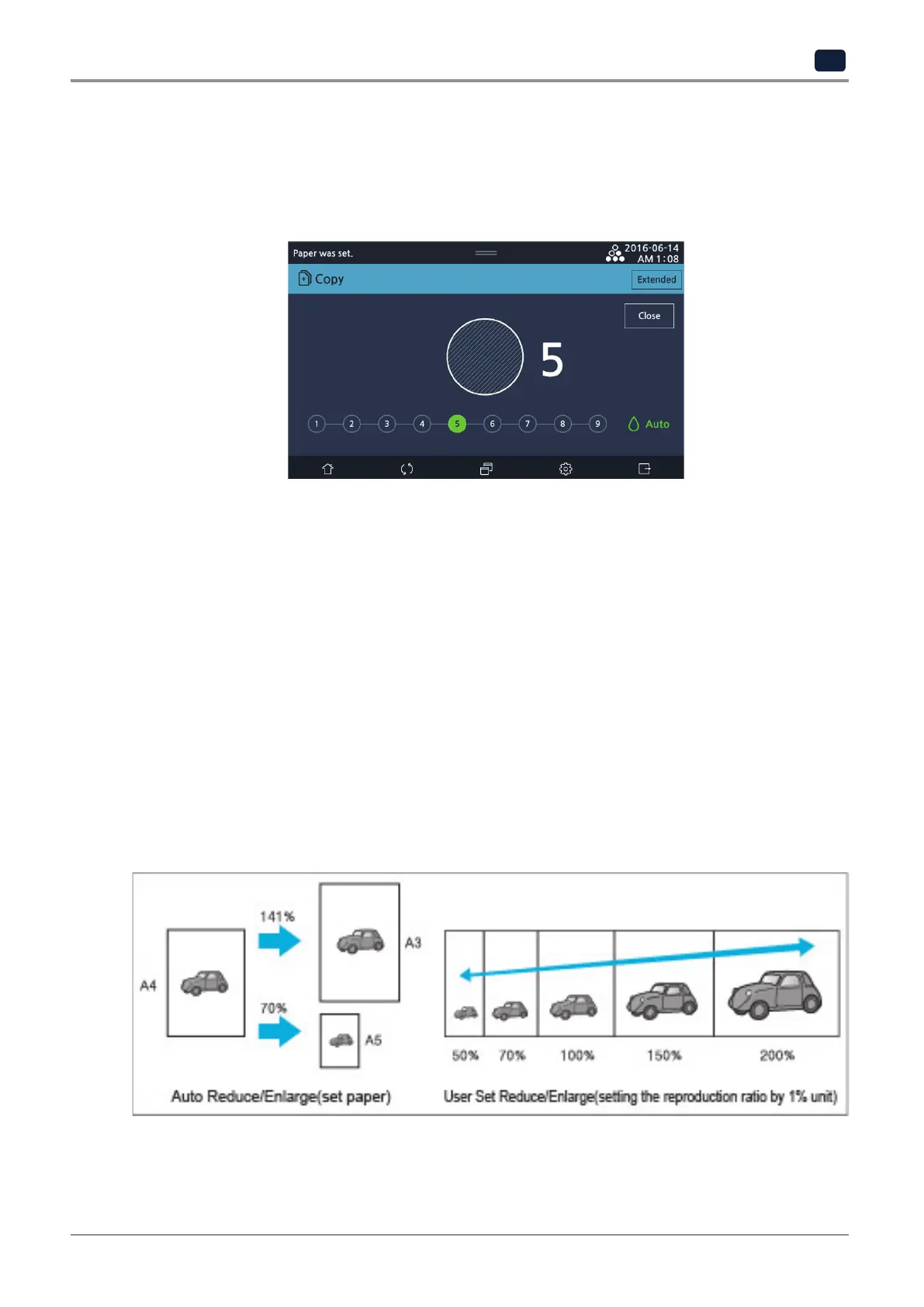
7) Density
Select a number key to select a desired density.
-
It gets lighter as moving to the left and darker as moving to the right. Default density setting is at 5 out of 9.
-
Auto: MFP scans density of the original and automatically adjusts the density of images.
Heavy textures of the originals (newspaper or recycled paper) are copied without copying the background.
If original paper have shades or black image on the front end of the manuscript it can be brighter.
8) Ratio
Select position and size of the papers to print.
-
The base point
The base point for zoom out/in is different depending on the scan method for originals.
For details on how to place originals on flatbed glass or ARDF, see P. 1-19 「7. Place original」.
-
Auto Scale zooms in/out automatically depending on the original size; Preset Scale zooms in/out according to the
scale selected by user.
-
For Preset Scale, user can select from the preset scales or enter any scale user wants.



 To Next Page