Maintenance and Troubleshooting
10-8
10
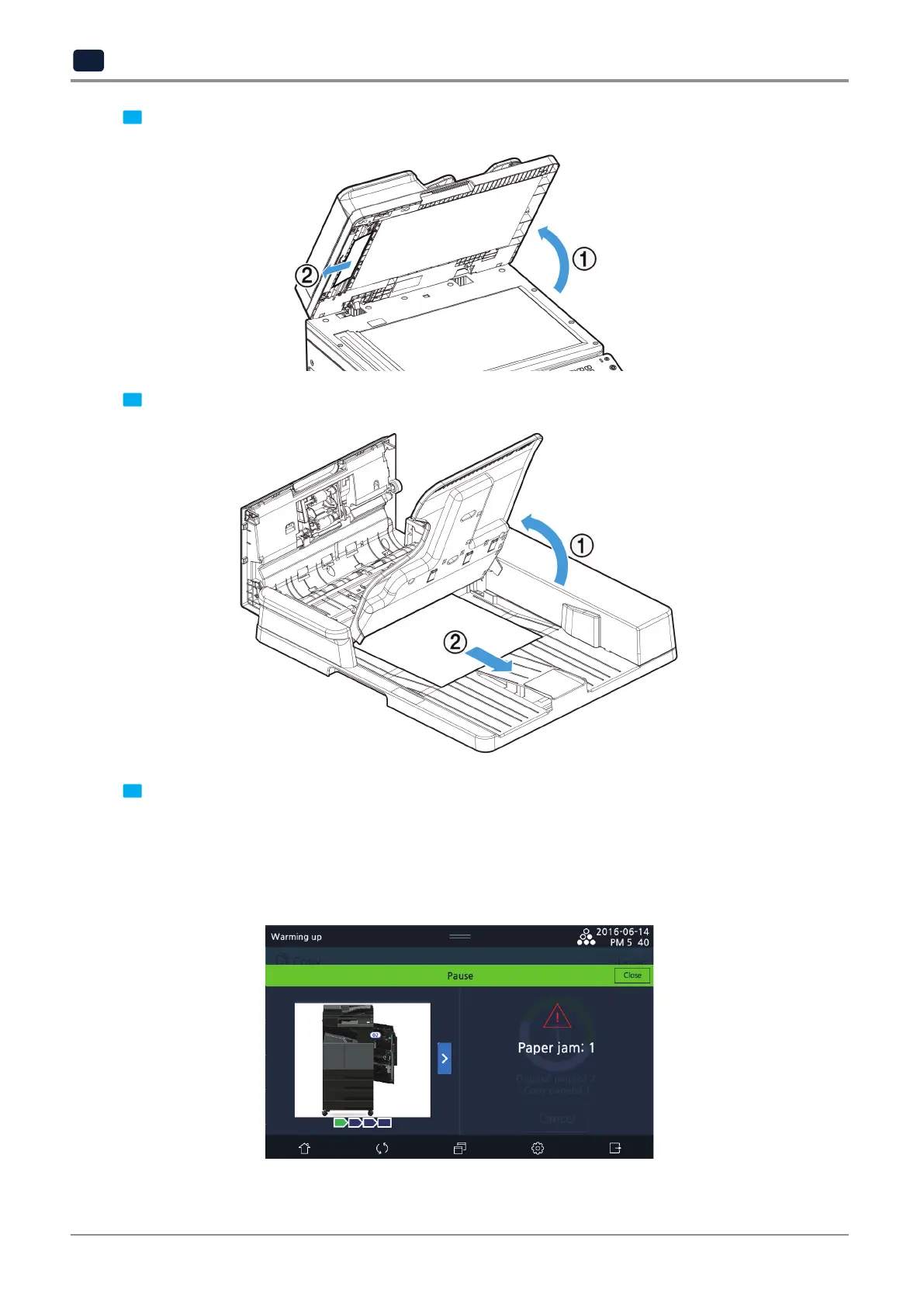
3 Pull up and open the ARDF cover (①) and remove the document (②) carefully.
4 Lift up the document feeder (①) and remove the jammed document (②) carefully.
5 Lift down the document feeder. Close down the ARDF cover.
3.2 Paper jam
If paper jam occurs while printing, a message appears on the screen depending on the type of jam.



 To Next Page