Copying
2-4
2
-
For details on how to change units to inch or mm, see P. 7-2 「General setting」.
2) Papers
Select a paper tray to print from.
You can choose paper size and type.
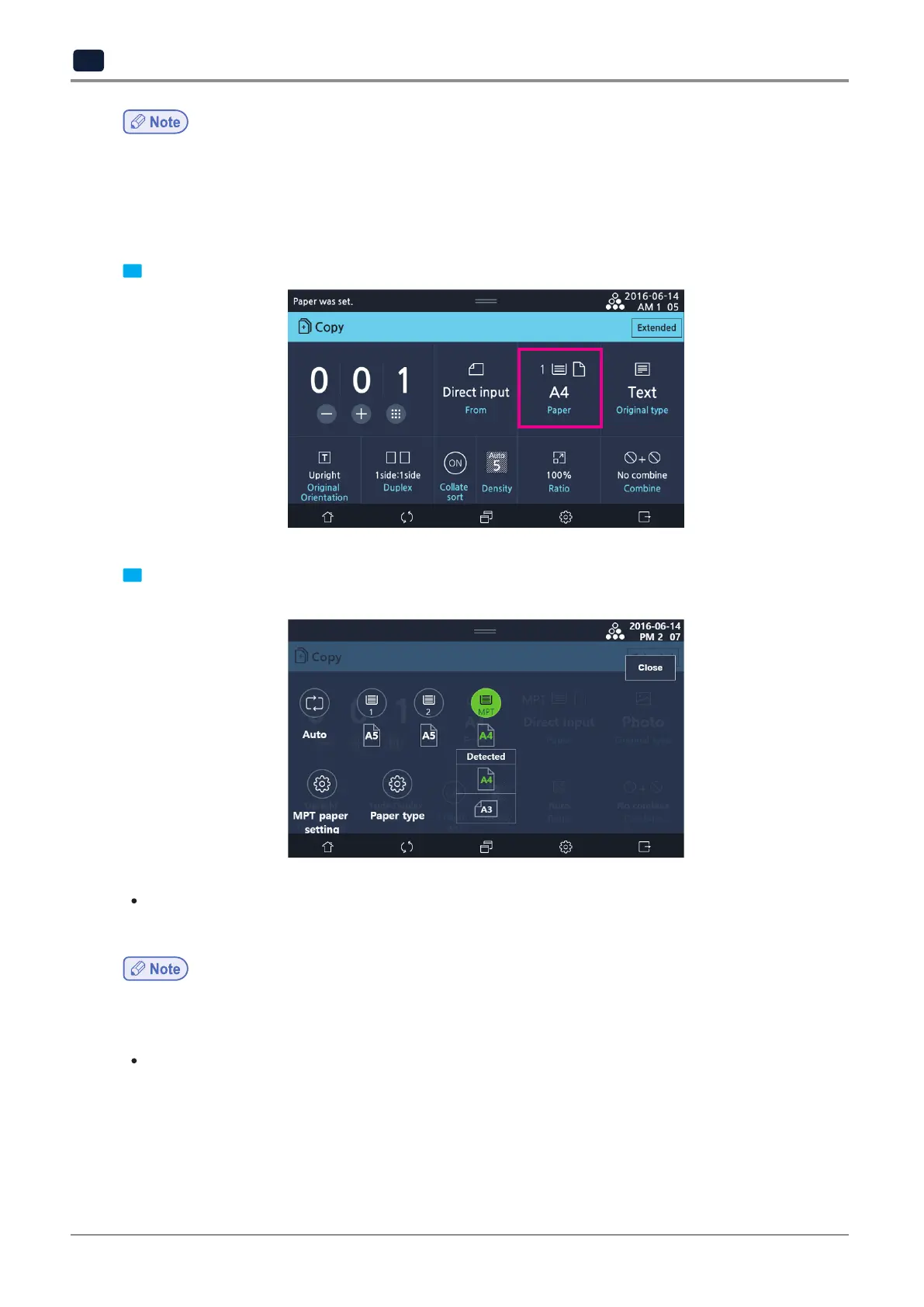
1 Press [Paper].
2 Select a paper tray from the selection screen.
From your left, [Auto], [Tray 1], [Tray 2], [MPT] are displayed.
When [Auto] is selected
-
When Auto is selected for paper, a paper tray will be automatically selected depending on the original size.
-
If the size of the original does not match that of papers loaded in any trays, adjust the scale to continue to copy.
For details on adjusting scale, see P. 2-13 「8) Ratio」
When Tray 1 is selected
-
Tray 1 automatically detects the paper size. For details on papers automatically detected in Tray 1, see P. 1-27
「9. Load papers」.
To change paper type, select [Paper type] and choose a paper type.
For details on paper size available for Tray 1, see P. 1-27 「9.1 Load Papers to Tray」



 To Next Page