1-35
Preparation for using MFP
1
10. Connect cables
Connect MFP directly to computers by using USB cables.
-
When the device power is on, do not connect or remove any kinds of port.
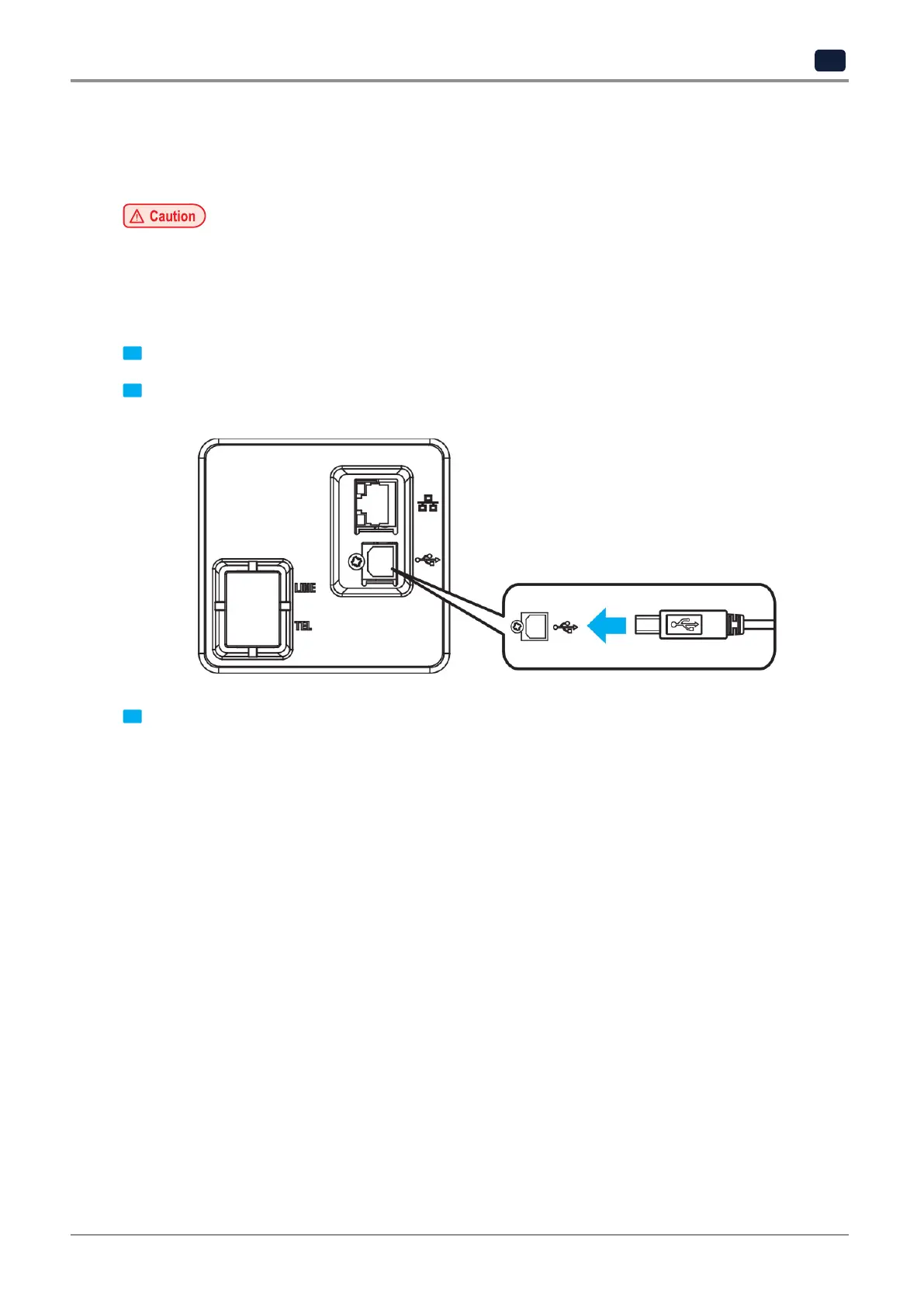
10.1 Connect USB cable
Users can use a USB cable to connect MFP and standard USB ports are supported.
1 Make sure that the power of all other devices connected to MFP are turned off.
2 Use a USB cable to connect MFP with computer. A USB cable is required to use USB port.
Make sure that the USB symbol on MFP matches the symbol on cables.
3 Turn on the power of MFP.



 To Next Page