Printer
3-2
3
1. Install drivers
When TWAIN or printer driver is installed in computer, this MFP can function as a printer or scanner.
Also, you can insert portable USB memory stick into the MFP to save scanned images or print saved images.
1.1 How to install a driver
Printer/scanner driver makes communication between computer and MFP possible. This printer/scanner software is
usually installed at initial configuration of MFP.
If the software needs to be installed after configuration, follow the guideline below. Read the instructions written
inside the installer to install it.
1 Close all open software programs.
2 Insert the CD.
-
Follow the installation instructions in the window and wait for a while, if Net Framework 2.0 or higher is
not installed. The Net Framework will be installed automatically.
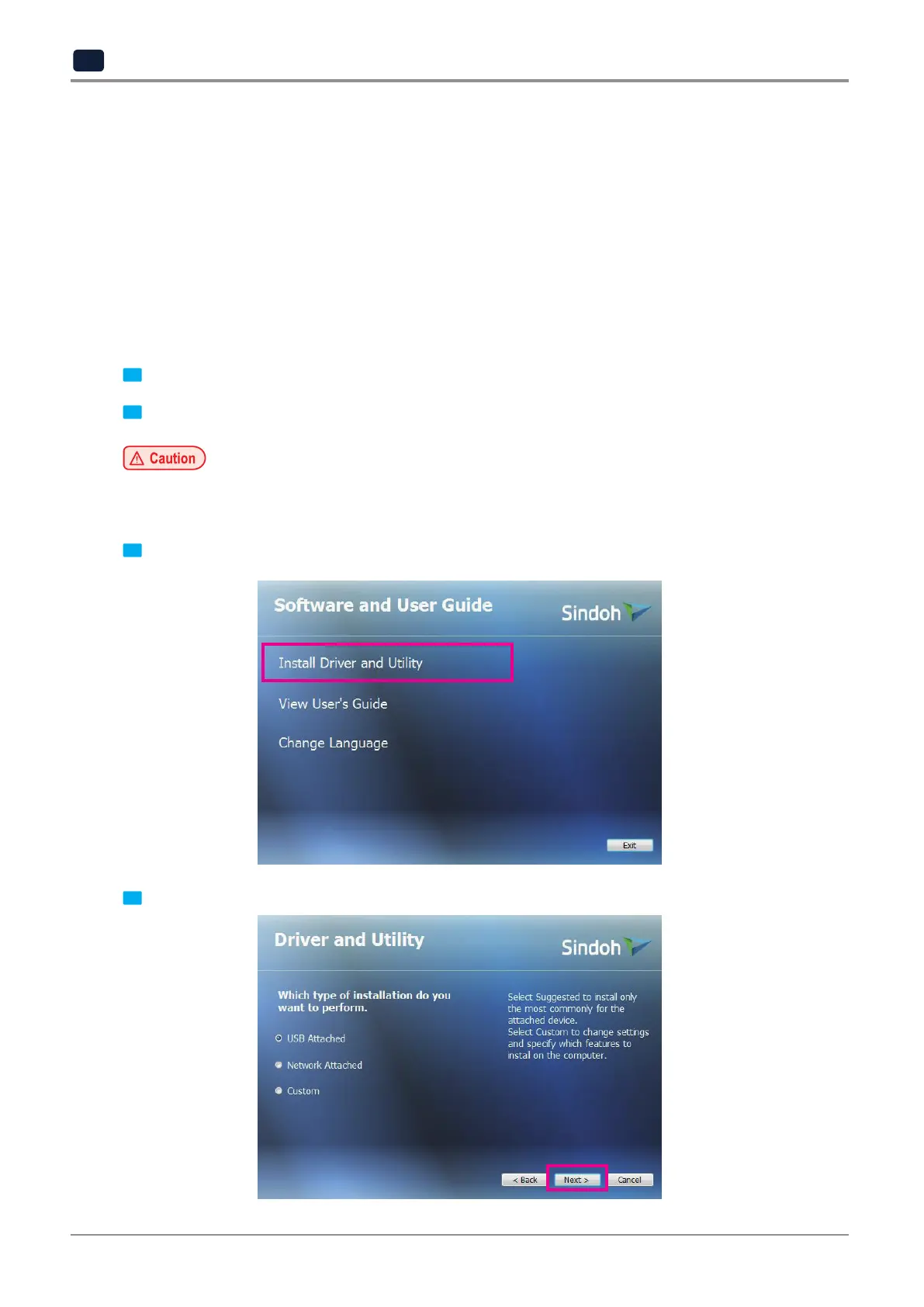
3 Click
[Install Driver and Utility]
in Software and Manual.
4 Select an installation type and click
[Next>].



 To Next Page