1-33
Preparation for using MFP
1
How to load OHP film properly
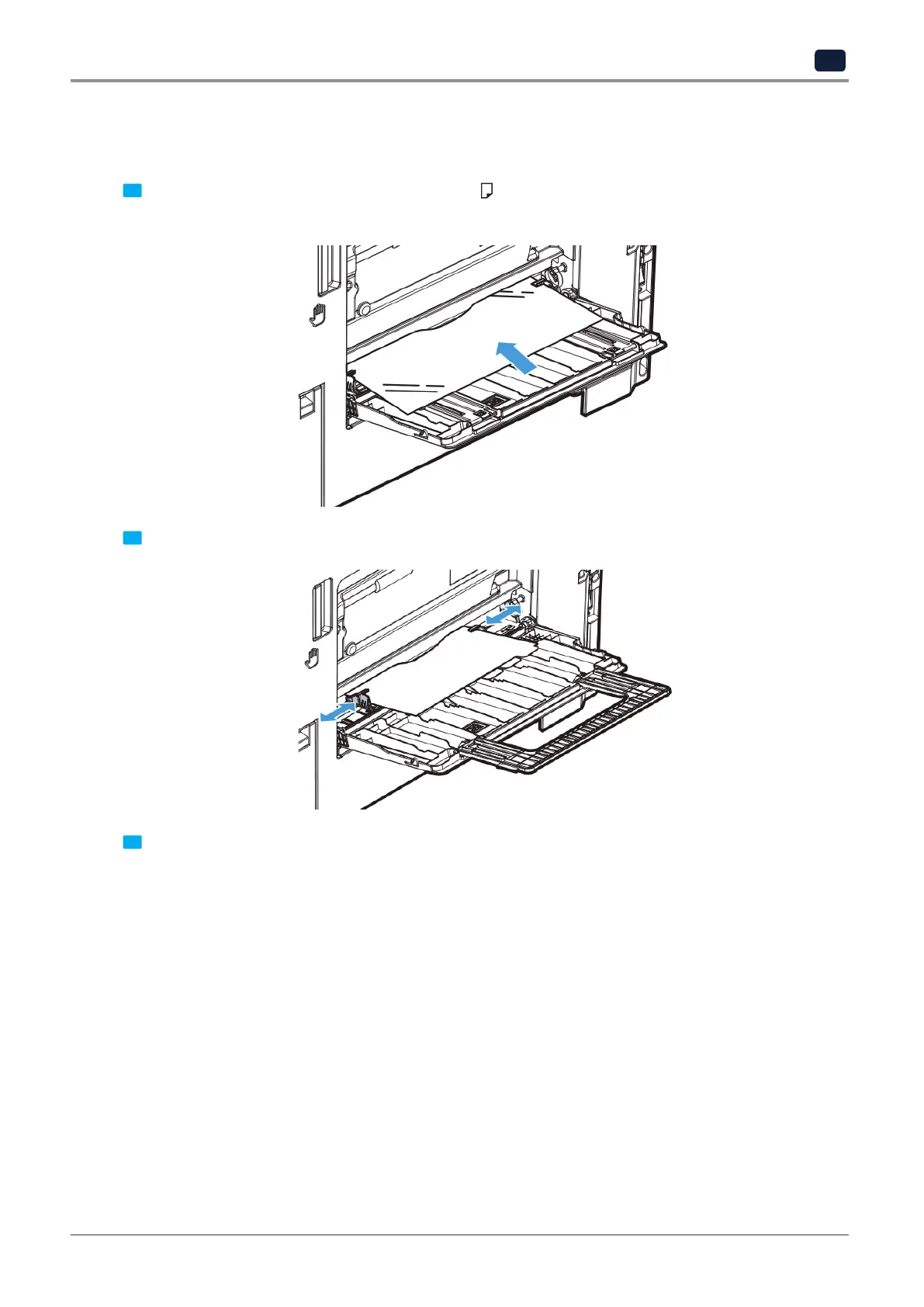
OHP film is a transparent film to project and enlarge on a screen. Up to 20 films can be loaded.
1 Face down the side to print and put it in the direction
as in the figure.
Push the film until the edge of OHP film reaches inside.
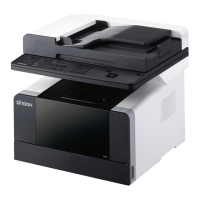
2 Slide the guide to adjust the size of the paper to load.
3 When feeding papers into MPT, the paper setting screen automatically appears on the LCD display.
Change paper size and type on the LCD display.
If the size to set cannot be found in the paper size list, check the size and enter a size in [Direct input].
For details on direct input, see P. 2-5 「When selecting Manual Paper Tray (MPT)」.



 To Next Page