Preparation for using MFP
1-22
1
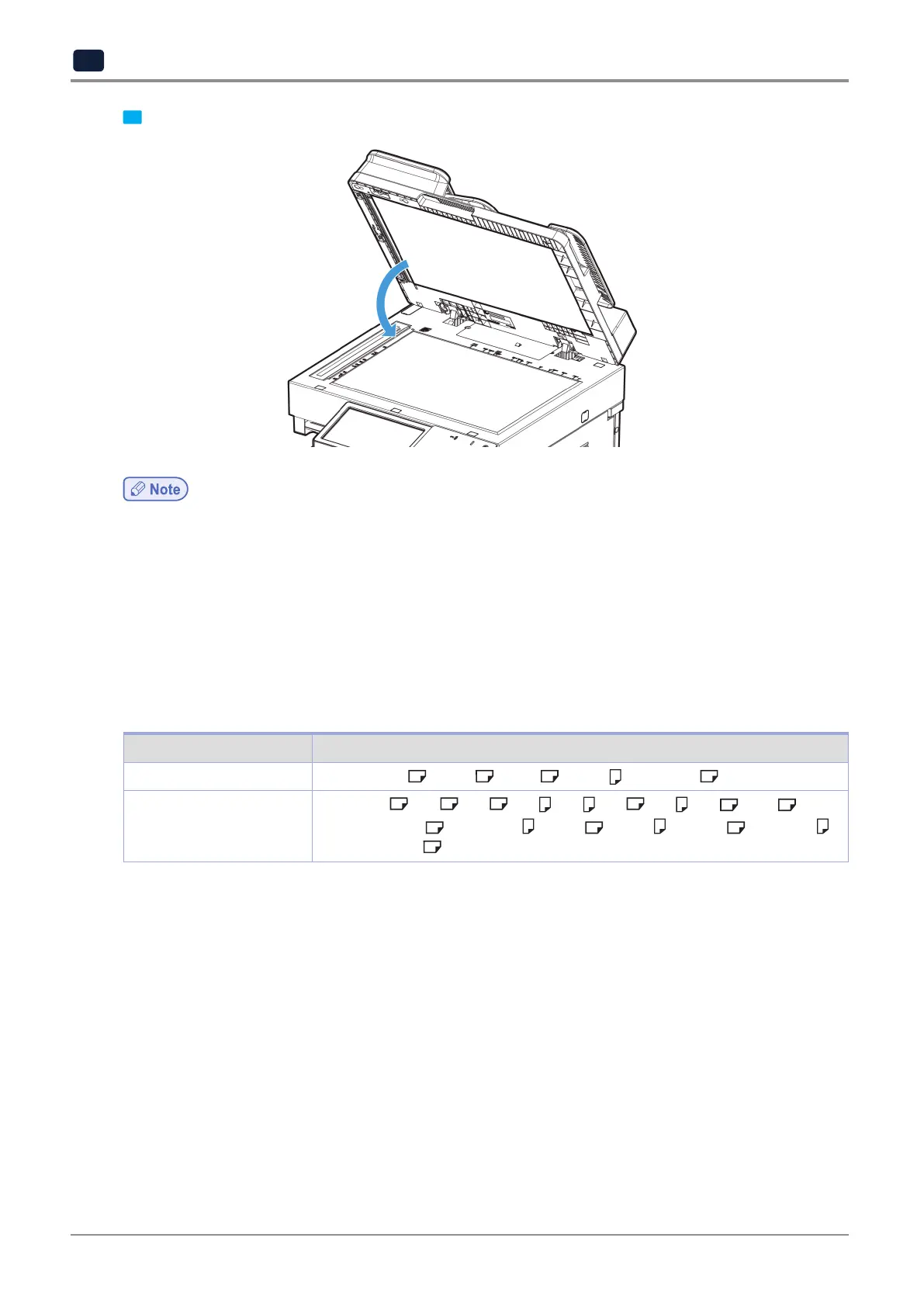
3 Use the handle of flatbed cover or ARDF to close it.
- When there is any original left in ARDF, original on flatbed glass cannot get scanned.
- When scanning a thick book or 3-dimensional object, there is no need to close the flatbed cover or ARDF.
In this case, do not stare at the flatbed glass as it may get very bright. The light from the flatbed glass is not laser
beam and not harmful to users.
- If there is a sharp edge on the original, it may scratch the flatbed glass.
7.3 Auto-detected original size
The following originals in standard sizes will be detected automatically.
Item Original size
Flatbed glass
Inch : 11”x17”
, Legal , Latter , Latter , Statement
ARDF
Metric : A3
, B4 , A4 , A4 , B5 , A5 , A5 , 8K , 16K
Inch : Statement
, Statement , Letter , Letter , 11
2
x17
2
,Executive ,
Executive
7.4 When auto-detection for original size does not work
If the size of original does not get detected automatically, select
[From]
to configure original.
For details, see P. 2-3 「1) Originals」.



 To Next Page