Additional Functions
8-26
8
-
SMTP: stands for Simple Mail Transfer Protocol. This is a standard protocol for email Tx/Rx.
-
POP3: stands for Post Office Protocol Version3. This is a standard protocol used when the mail client
receives an email from the mail server.
-
IMAP: stands for Internet Message Access Protocol. This is a standard protocol used when the mail client
receives an email from the mail server.
-
MDN: stands for Message Disposition Notifications. This is a message used to send confirmation
response from Rx device to Tx device for internet fax email.
-
DSN: stands for Delivery Status Notifications. This is a message used by the mail server for Tx/Rx
to show the mail transfer status.
-
The MDN message and options for DSN message work only when there is one fax receiver.
Also, depending on the device settings on Rx side and mail server, the MDN or DSN message may not
be sent and it may be ignored or deleted.
6.3 Internet-Fax send Setting
Send internet-fax
-
To use the Internet-Fax send function, [Use Tx func.] in the internet fax setting menu must be set to [On].
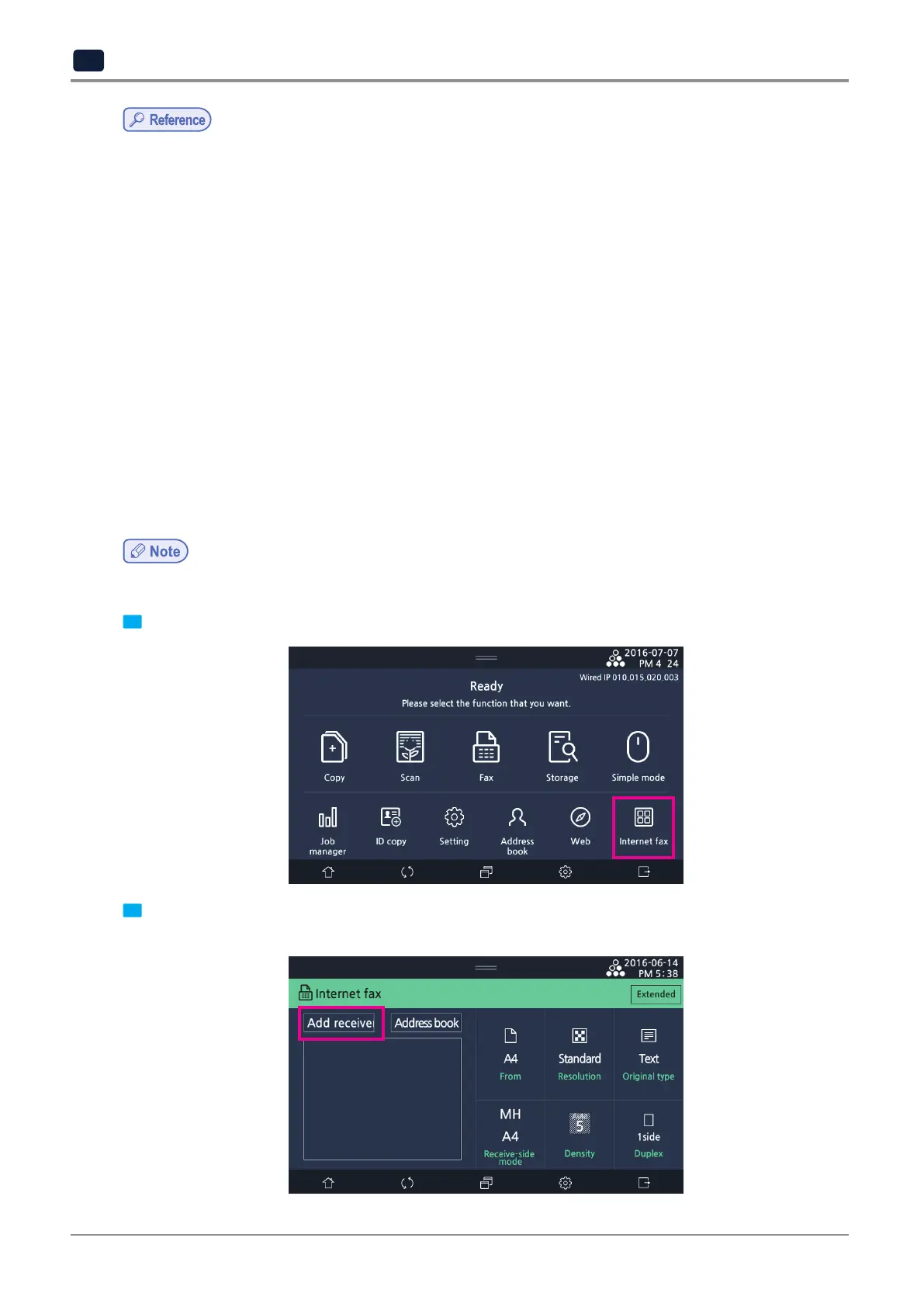
1 Touch button of [Internet fax] on the home screen which Interner fax has been activated
2 Enter a recipient to receive the internet fax. You can manually enter the recipient or use address book to
select one. Select
[Add receiver]
to manually enter a recipient.



 To Next Page