1-15
Preparation for using MFP
1
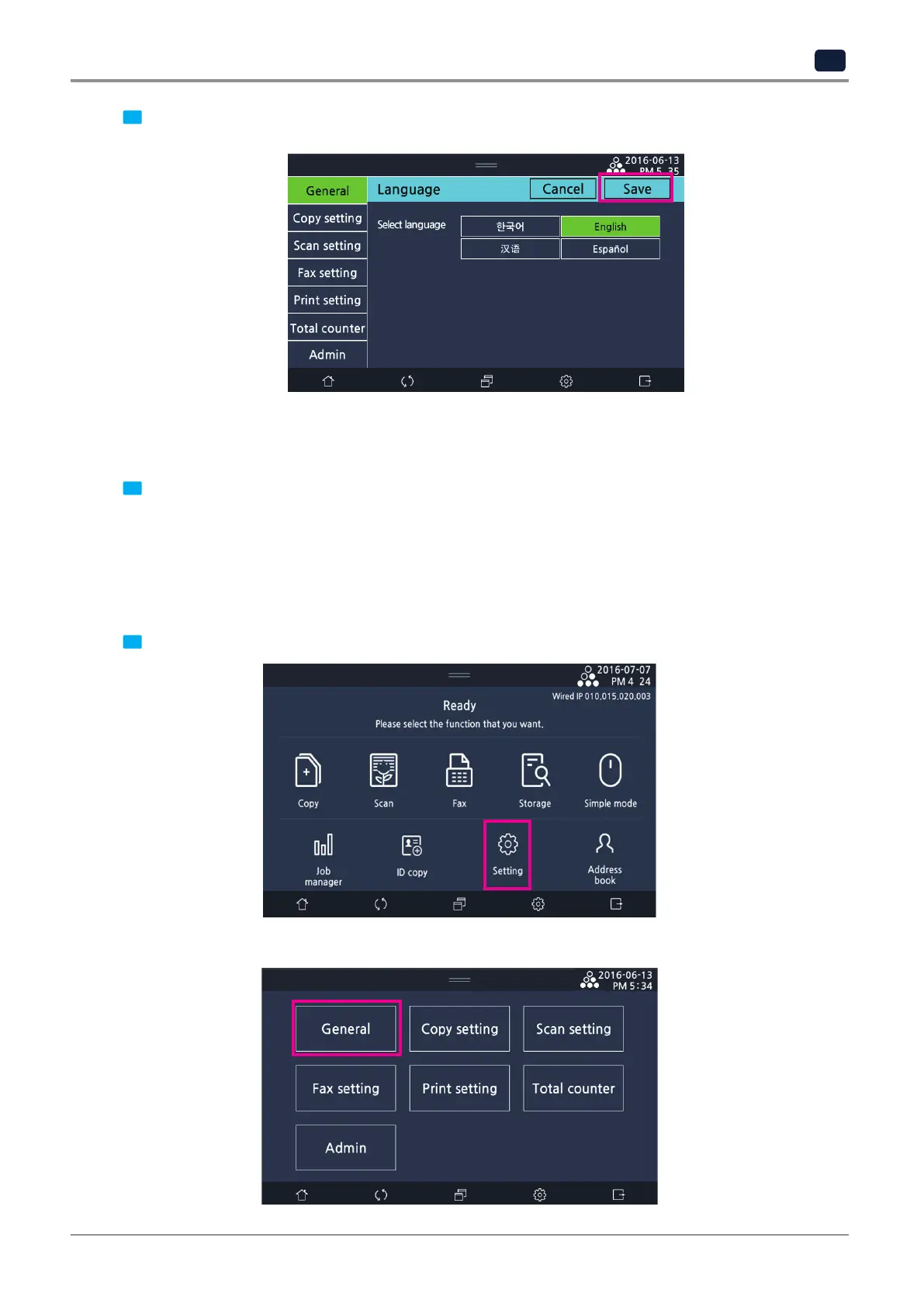
2 Select a language to display on the LCD screen and choose [Save].
5.4 Unit
Select a unit to display on the LCD screen.
1 On the LCD home screen, select
[Setting] → [General] → [Basic]
and scroll down to go to [12-Unit] and
choose
[mm]
or
[inch]
.
5.5 Time
Enter the current date and time as the following order: year (YYYY), month (MM), day (DD), time (24 hour format, tt),
minute (mm).
1 On the home screen, select
[Setting]→ [General] → [Basic]
.
▼



 To Next Page