Preparation for using MFP
1-16
1
▼
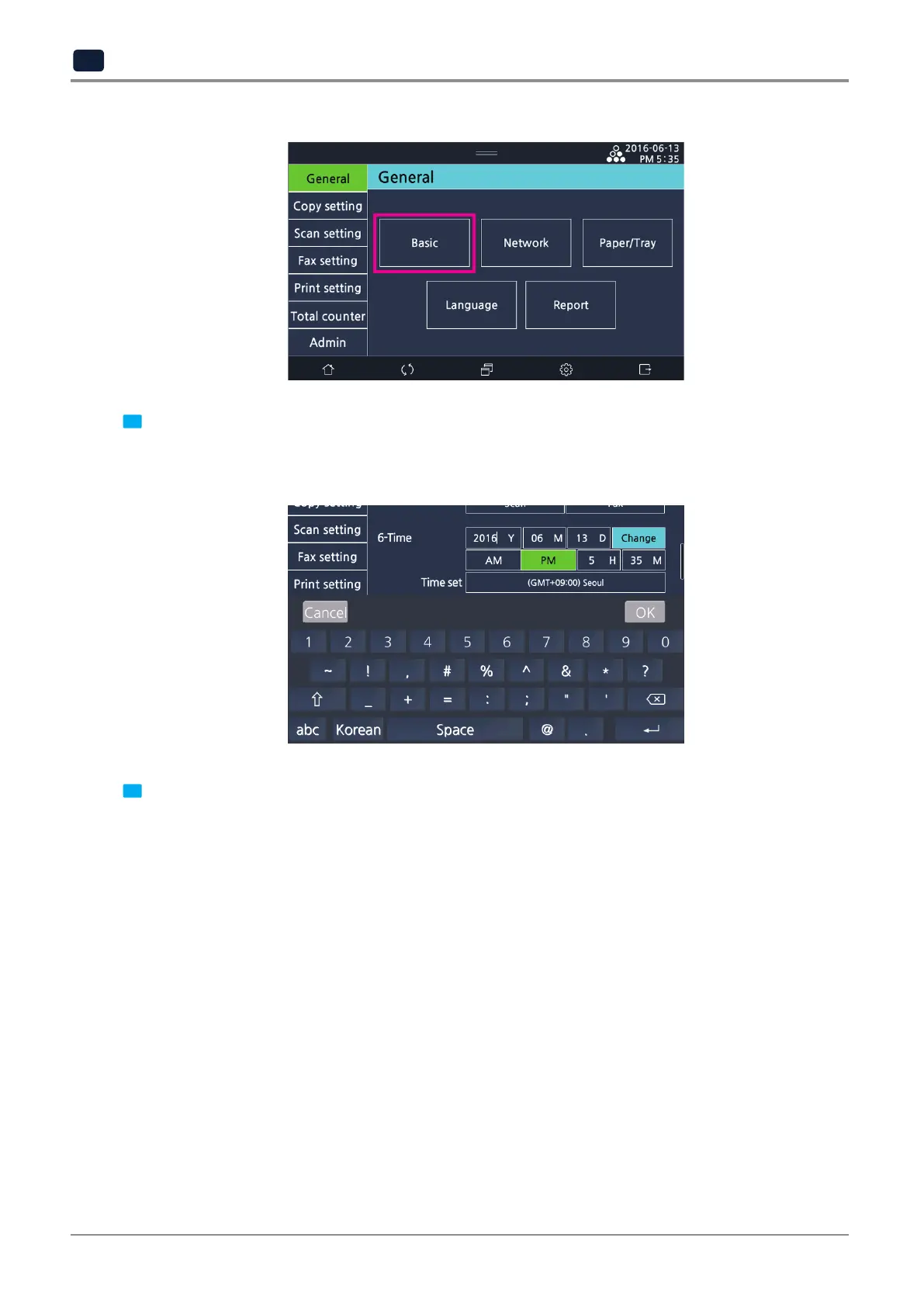
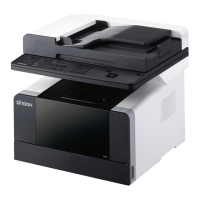
2 Scroll down to
[6-Time]
and enter a date and time with number keys.
- On the LCD screen, select year, month, day, am/pm, hour, and minute one by one to enter a value.
- Select
[Time set]
and enter the time zone you are in.
3 After finishing setup, select the
[Change]
button on the right of the time setting.



 To Next Page