Copying
2-2
2
1. Make a copy
1.1 Basic operations
1 Place an original document to copy on flatbed glass or automatic reverse document feeder (ARDF). For details
on how to place an original, see P. 1-19 「7. Place original」.
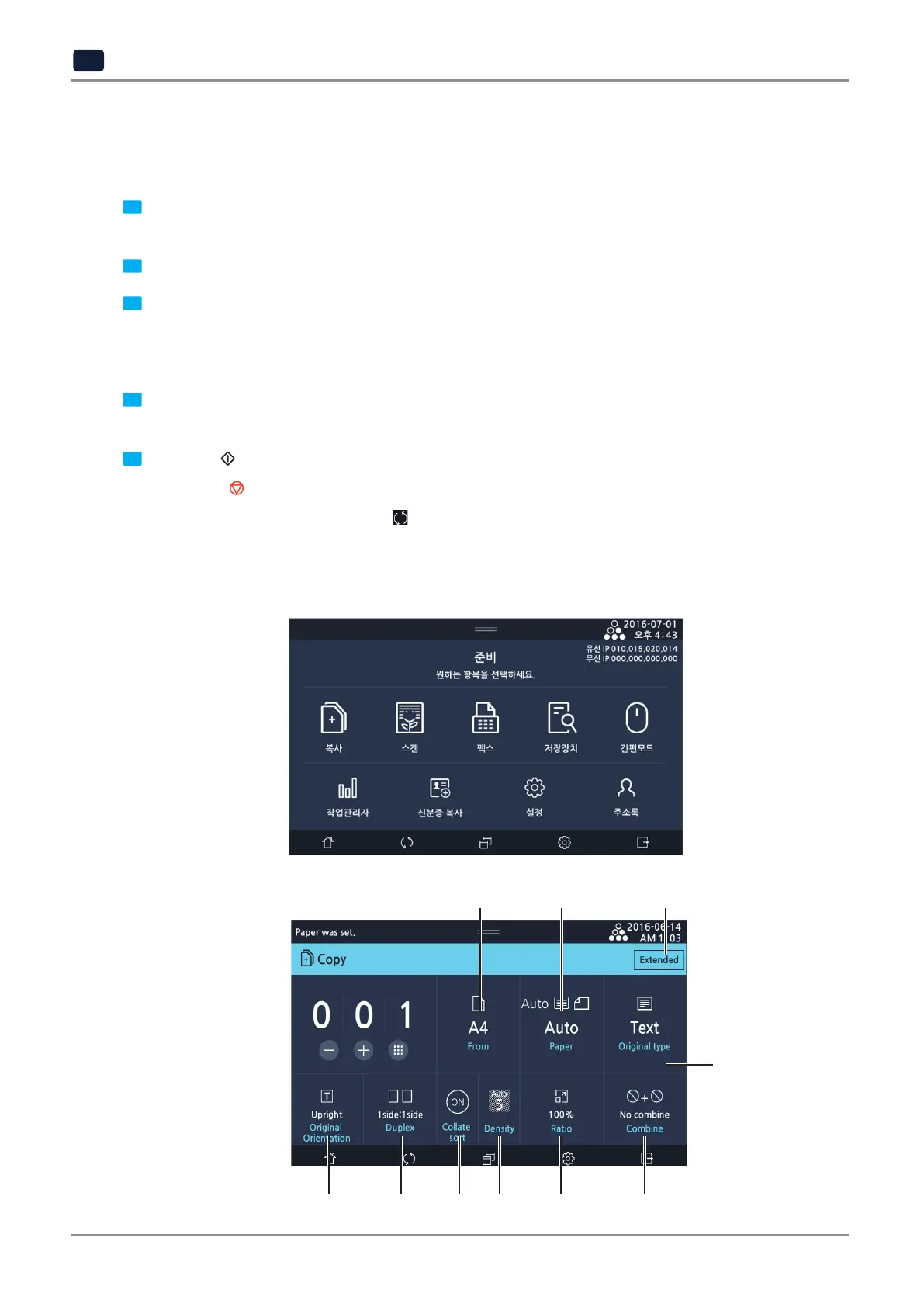
2 Select [Copy] on the LCD home screen to switch to the copy mode.
3 Select copy options needed.
- Number of copies, documents, papers, document format, document orientation, collate, density, Ratio, combine
- To use copy options, select [Extended] on the upper right to select a desired option.
4 On the LCD screen, press -, +, or number key to enter a number of copies.
You can select a number between 1 and 999. If no number is entered, the default is one.
5 Select the 【
】 button. The device will start making a copy. A copied side will face down when dispensed.
-
Select the【 】 button to cancel.
-
To reset all copy options: Select the
[
]
button.
1.2 Copying
Default copy screen
▼
1 2 10
3
4 5 6 7 8 9



 To Next Page