7-11
General Settings
7
4
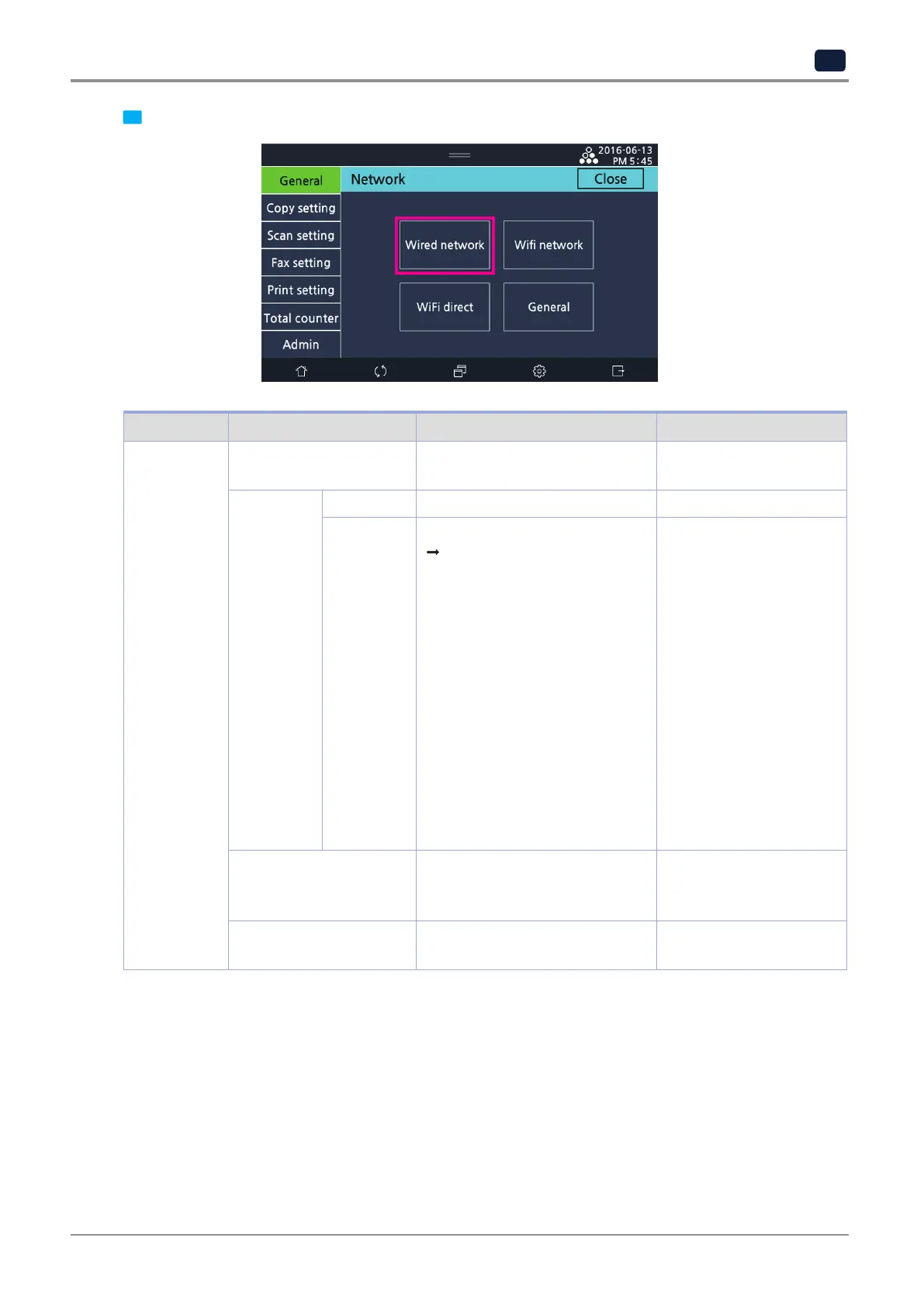
Select
[Wired network].
Menu Item Menu Item Description Value
Wired network IP setting Select to use automatic or
fixed IP address.
Auto setting
Manual setting
IP setting DHCP Allocate IP address automatically
Static Enter IP address directly.
IP address, netmask,
Gateway address, DNS server 1,
And DNS server 2 must be all
entered. Contact your network
admin for details.
IPv6: Show the IP address of IPv6
for the current printer.
MAC address: Show the Mac
address which is an identifier of
network device.
IP address:
000.000.000.000 ~
255.255.255.255
Netmask:
000.000.000.000 ~
255.255.255.255
Gateway:
000.000.000.000 ~
255.255.255.255
DNS server 1 :
000.000.000.000 ~
255.255.255.255
DNS server 2 :
000.000.000.000 ~
255.255.255.255
IPv6 Show the IP address of IPv6 for
the current printer.
0000:0000:0000:0000:
0000:0000 ~
FFFF:FFFF:FFFF:FFFF:
Mac address Show the Mac address which is an
identifier of network device.
00: 00: 00: 00: 00: 00 ~
FF:FF:FF:FF:FF:FF



 To Next Page