1-5
Preparation for using MFP
1
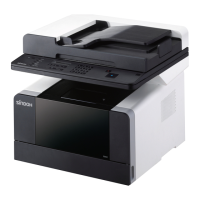
# Name Description
1
Auto Reverse Docu-
ment Feeder (ARDF)
Use this handle to open the ARDF.
2
Original guide Adjust this guide to fit the origial width.
3
Original feeder Face up the side of original to scan.
4
Original output Original will be dispensed.
5
LED lamp Lamp color will show the status of MFP.
- Solid green: ready to use.
- Blinking green: working in progress.
- Red: see P. 10-13 「4. Error messages」.
6
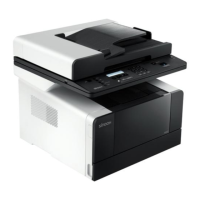
USB Insert an external USB to MFP.
7
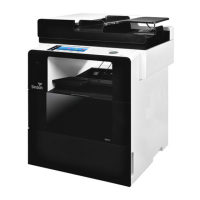
Dual cover Open this cover to remove a jammed paper or replace fuser unit.
8
Dual cover lever Use this lever to open the dual cover.
9
Manual Paper Tray
(MPT)
Use this tray to use a different type of papers other than the one in the paper tray.
Pull the upper part to open MPT.
10
Power switch Press “I” to turn the power on.
11
Tray 2 Supplies papers. Tray 3 and 4 are optional.
12
Tray 1 Supplies papers. Tray 3 and 4 are optional.
13
Front cover Open this cover to replace cartridge or developer/drum unit.
14
Standard Output tray Copied or printed papers will be dispensed through the tray.
15
Control panel Various function buttons are displayed on the LCD panel.
16
Upper Output tray Fax document is out to this tray.
From the Settings, you can change this tray for Copy, USB Print’s tray.
17
Power socket Connects the power cord.
18
ARDF cover This is a cover to have cables go through after installing ARDF.
19
USB-B Use it to connect MFP to computer with a USB cable.
20
Ethernet Use ethernet interface cable to connect the network connection device.
21
LINE Connects a landline (optional).
22
TEL Connects additional phone (optional).



 To Next Page