FMON10JEN 07.04.2017 Rev. 10J
40 (40)
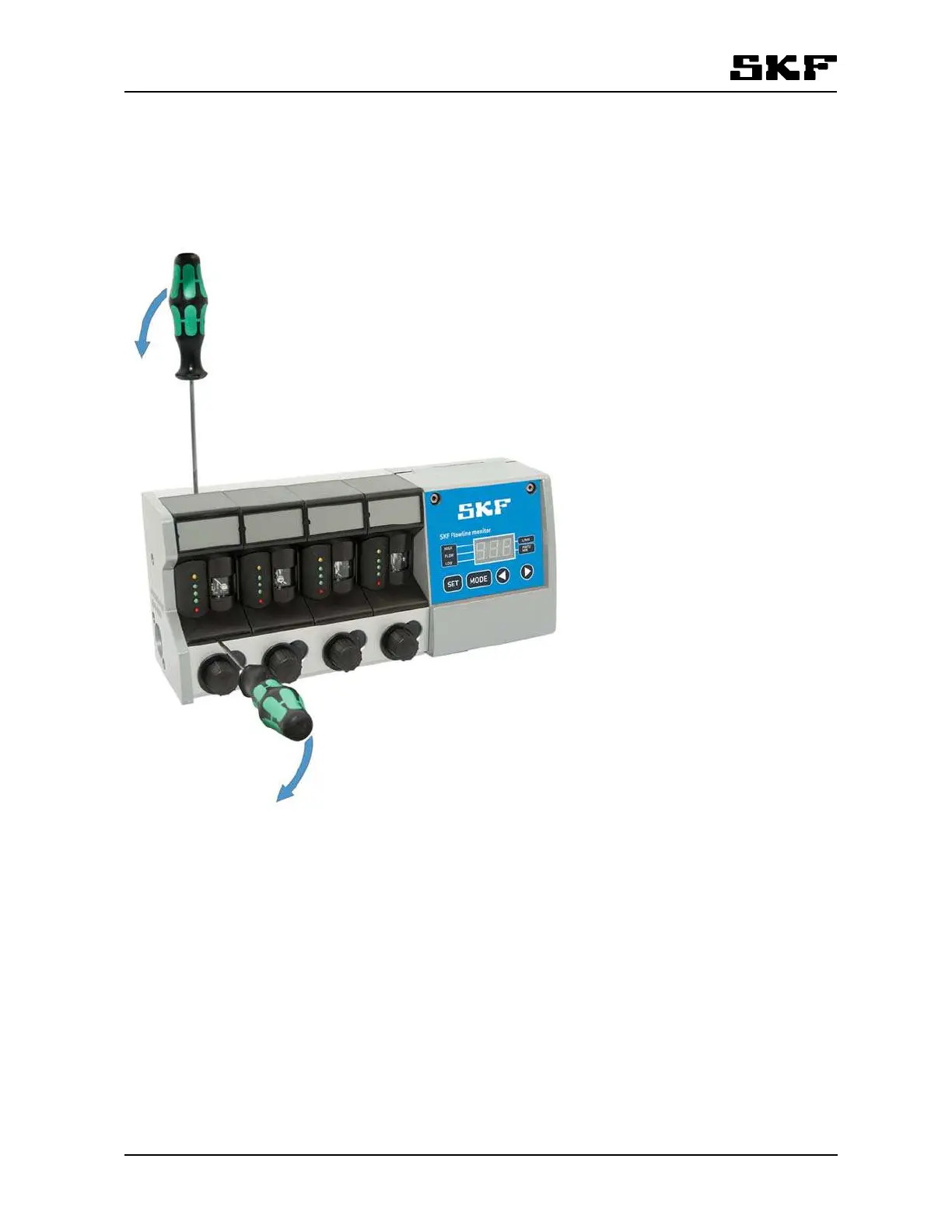
12.1.2 Removing and reinstalling flowmeter cover
Before flowmeter cover is removed, the sensor must first be removed as described above.
1 Twist carefully with a screwdriver, first detaching the bottom of the cover from the monitor body.
2 Detach the top of the cover.
Cover can be reinstalled by repeating the steps in reverse order.
Figure 15 Removing flowmeter cover
FL15, FL50 and FL100. (Refer to section 16 Spare parts).


 To Next Page