197
SJ1044 TH, SJ1044 THS, SJ1056 TH, SJ1056 THS, SJ1256 THS
230790ABA
Electronic Tilt Switch Setup Procedure Section 5 – Procedures
5.7 Electronic Tilt Switch Setup
Procedure
The electronic tilt sensor measures telehandler tilt from
side to side. It also monitors the boom proximity switch,
and drives the digital outputs whenever the system is
powered.
NOTE
Tilt is always measured relative to the
programmed zero point.
The following information is supplied for replacement
or reprogramming of the electronic tilt switch. Also
included are test and verification instructions. Follow
the appropriate procedures below.
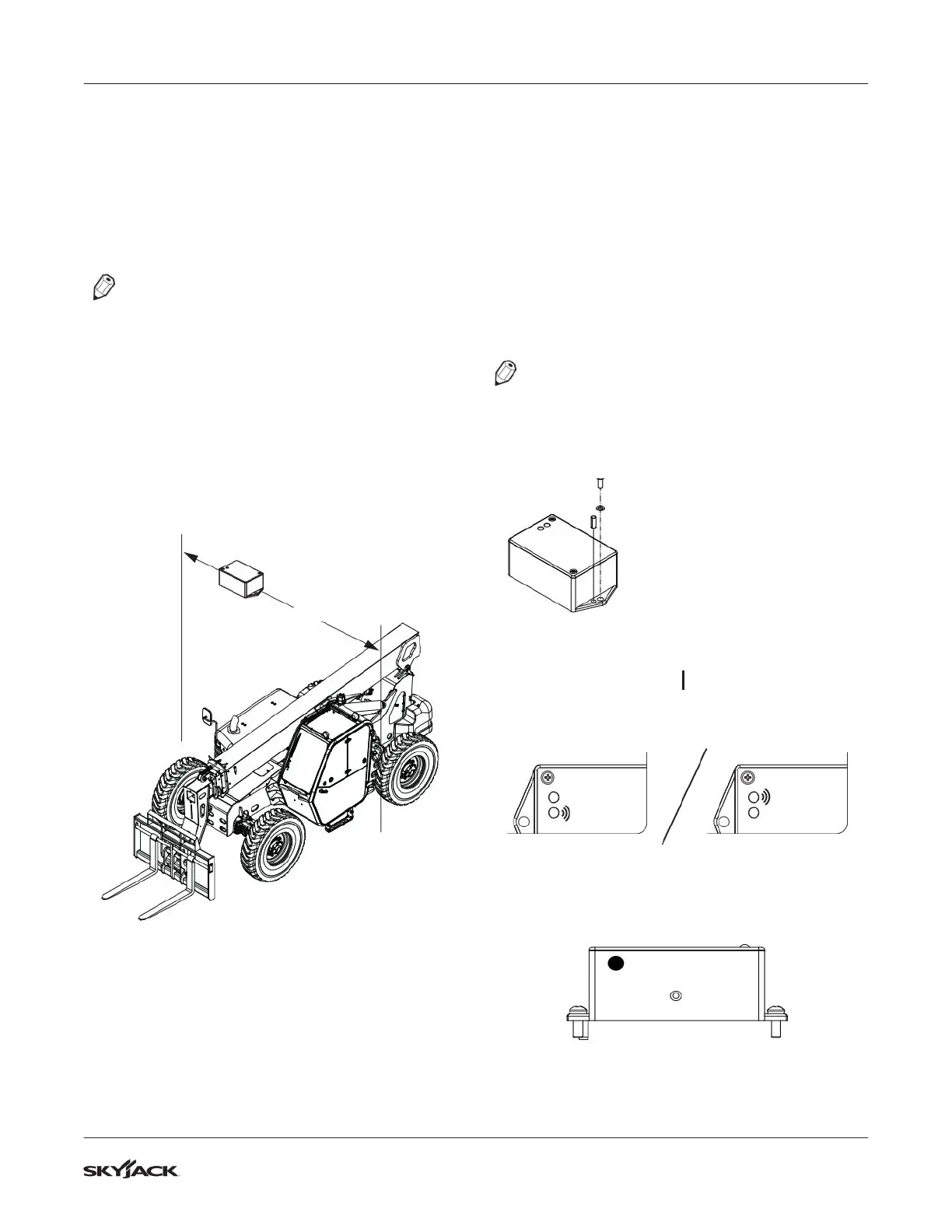
5.7-1 Tilt Switch Replacement
X AXIS
1. Ensure telehandler is parked on a firm level
surface.
IMPORTANT
Ensure frame level indicator is at 0°.
2. Apply park brake and move transmission shifter
to neutral.
3. Fully retract and lower the boom just enough to
gain access to tilt sensor.
4. Chock or block wheels to prevent the telehandler
from rolling forward or backward.
5. Shut down the engine and remove key from
ignition switch.
6. Remove access cover plate to gain access to tilt
sensor.
7. Disconnect tilt switch harness from connector.
NOTE
Ensure part number of old and new tilt switch are
the same.
8. Remove old tilt switch from mount.
RED
GREEN
9. Install new switch to mount and connect switch
plug to connector.
10. Turn ignition switch to “ ” ON position.
11. Verify switch is powered. (Red or green LEDs are
illuminated and blinking).
Red LED
Green LED
Red LED
Green LED
12. Program the sensor zero point.
1. Press and release the set zero button 3 times.
Observe LED flash codes as shown below.
RIGHTLEFT
SET ZERO
2. Only the red LED will blink for 4 seconds.



 To Next Page