6 Electrical Connection
SMA Solar Technology AG
Operating manualEVC22-3AC-20-BE-en-1048
2. When using a self-assembly network cable, assemble the RJ45 connectors and connect them
to each network cable (see connector documentation).
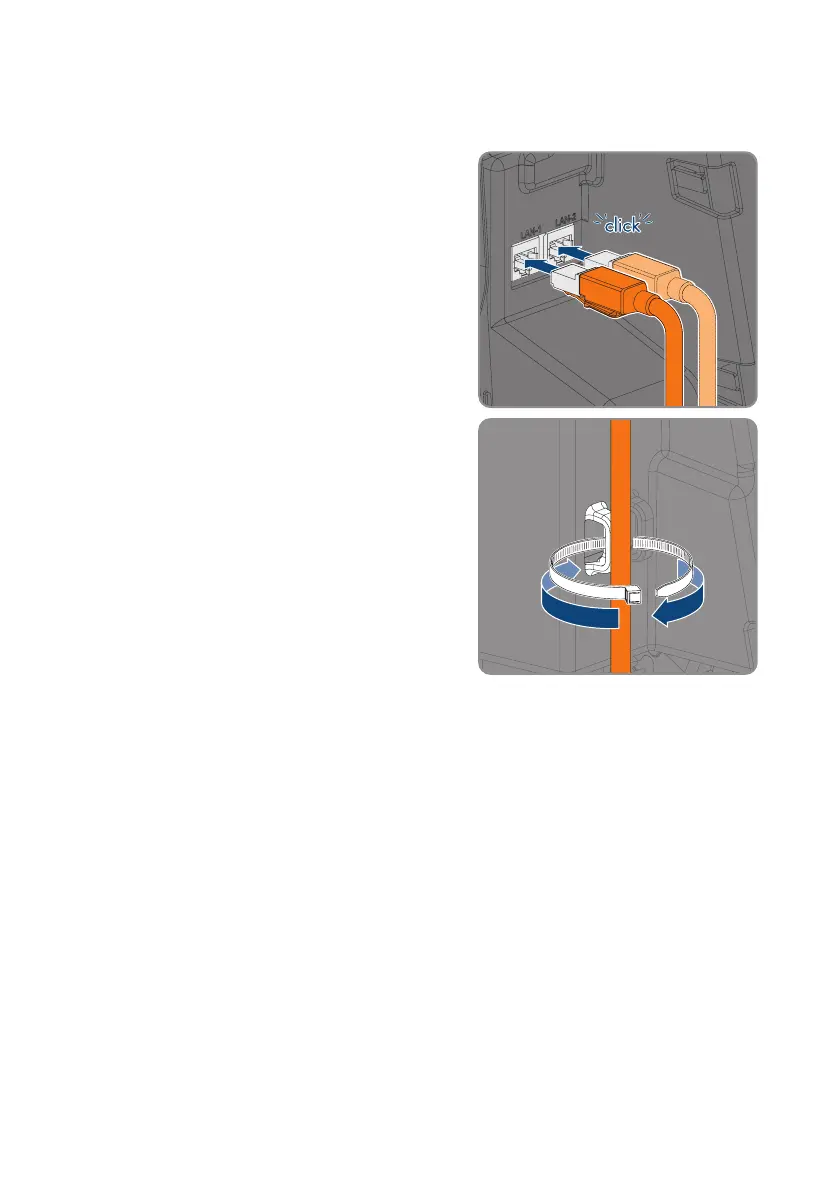
3. Insert each network cable into one of the network
ports.
4. Secure each network cable to a strut using a cable
tie, and cut off the protruding end of the cable tie
with wire cutters.
5. Ensure that the network cables are securely in place by pulling slightly on them, and that the
strain relief is effective.
6. If the charging station is installed outdoors, install overvoltage protection for all components in
the network.
7. If you would like to integrate the charging station into a local network, connect the other end
of a network cable to the local network (e.g., via a router).
6.6 Connecting the Ripple Control Receiver
6.6.1 Digital input DI 1-4
A ripple control receiver or remote terminal unit can be connected to digital input DI 1-4.



 To Next Page