8 Operation
SMA Solar Technology AG
Operating manual EVC22-3AC-20-BE-en-10 79
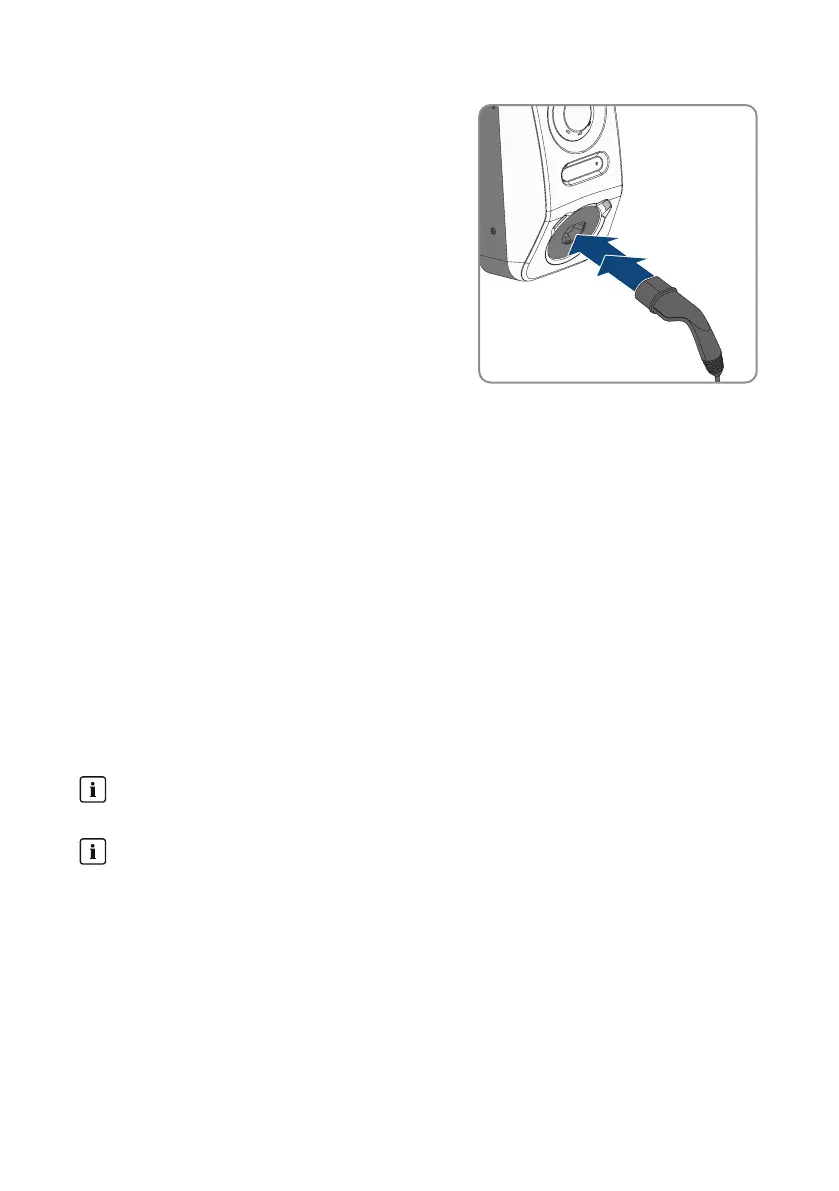
2. Connect the charging cable to the charging station.
Note: At low temperatures (-25°C), more force is
needed to plug in the type 2 connector.
☑ The charging cable is locked.
☑ The yellow LED lights up. The charging station is locked.
3. Authorize the charging process. To do so, open the "E-mobility" tab in the SMA Energy App
and unlock the charging station by swiping from left to right.
☑ A rapidly flashing yellow LED indicates that the authorization required for the charging
process as successful.
☑ The green LED flashes slowly.
☑ The charging station is now ready for use. Depending on which charging mode has been
selected, the charging process starts immediately or is delayed as specified by the energy
manager.
Also see:
• Properties of Charging Modes⇒page75
• Product Description⇒page23
8.13.5 Ending the Charging Process
In case of a grid power outage, the mechanical lock on the charging cable
at the charging station automatically opens.
Storing the charging cable
Always store the charging cable in a dry place, not on the ground, and inspect the contacts
regularly.
• Incorrect or inappropriate storage leads to corrosion of the charging cable contacts. This
voids any warranty claims.
You have several options to stop the charging process.
• Open the Energy App and select Stop charging.



 To Next Page