8 Operation
SMA Solar Technology AG
Operating manualEVC22-3AC-20-BE-en-1068
8.1.3.4 Establishing direct Wi-Fi connection with Wi-Fi network search
1. Search for Wi-Fi networks with your smart device.
2. Select the SSID of the product SMA[serial number] in the list with the detected Wi-Fi
networks.
3. Enter the device-specific Wi-Fi password (see WPA2-PSK on the type label).
4. Open the web browser of your smart end device and enter https://smalogin.net in the
address bar.
☑ When you connect to the user interface for the first time, the welcome page opens. The
Commissioning Assistant for configuring the product can be started via the welcome
page.
☑ The login page of the user interface opens if the product has already been configured.
5. If the login page of the user interface does not open, enter the IP address 192.168.12.3 or, if
your smart terminal supports mDNS services, SMA[serial number].local or https://
SMA[serial number] in the address bar of the web browser.
Also see:
• Access information for direct Wi-Fi connection⇒page67
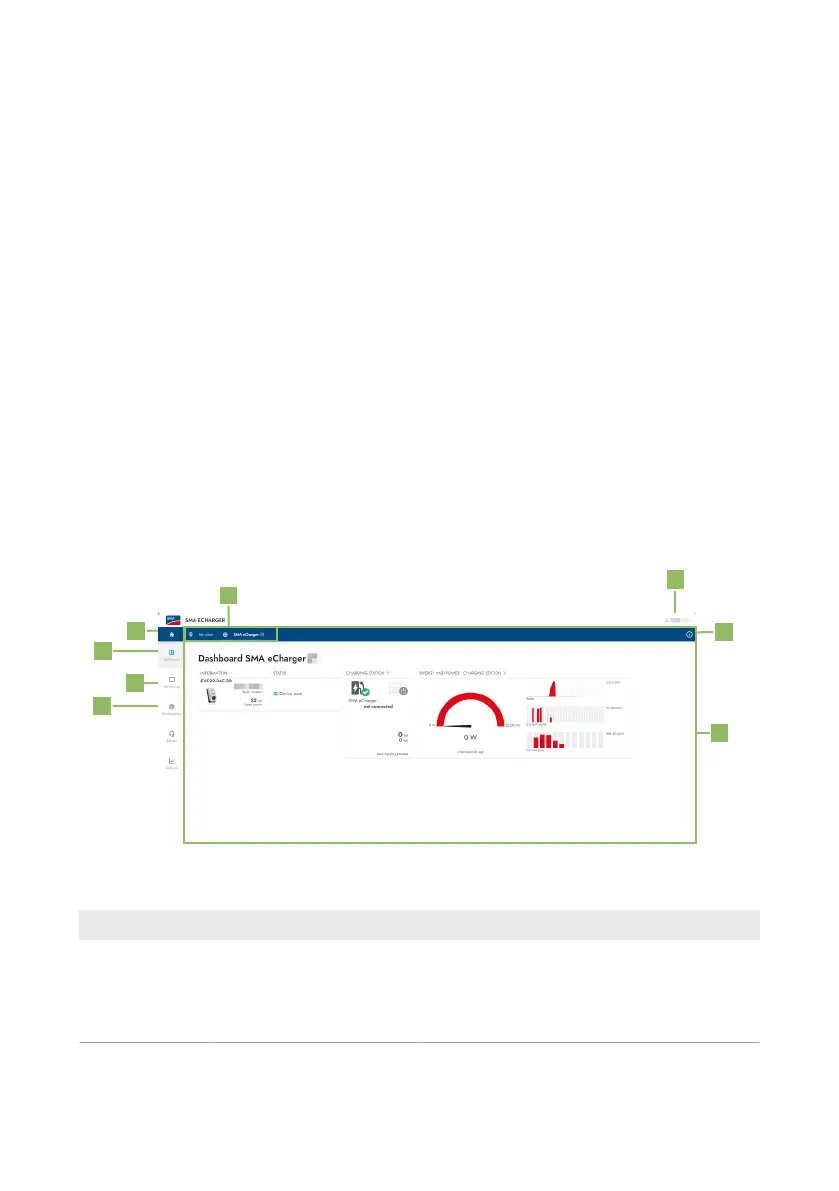
8.2 Design of the User Interface
Figure 16: Design of the User Interface
Position Designation Description
A Focus navigation Enables the navigation between the following
levels:
• System
• Device



 To Next Page