Page 106
501 SE Columbia Shores Boulevard, Suite 500, Vancouver, Washington 98661, USA l +1 360 859 1780
SmartRG Inc. Propriety and Condential. All Rights Reserved. Copyright © 2014 smartrg.com
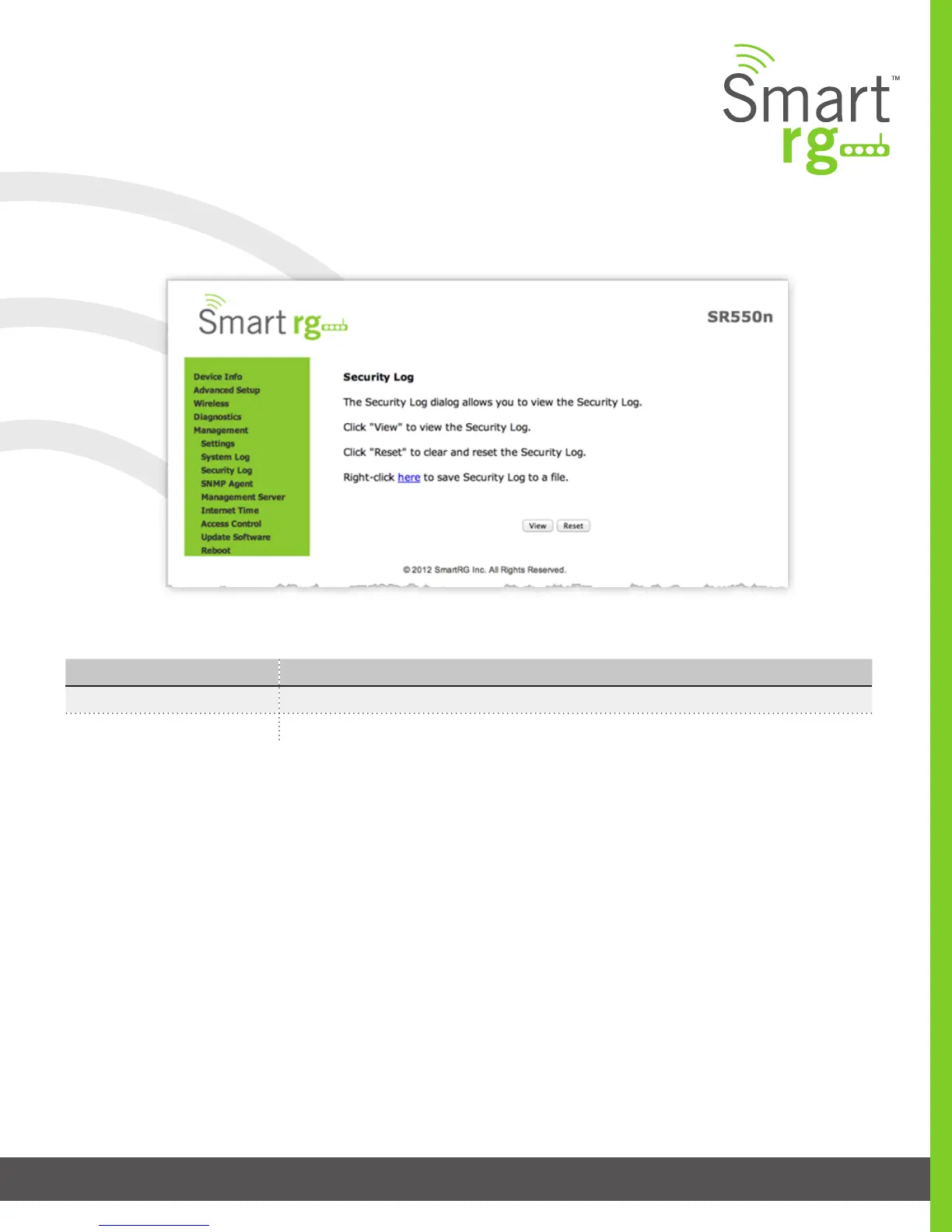
The individual elds on this screen are dened as follows:
Action Description
View This button will display the Security Log on the screen.
Reset This button will purge all stored data from the Security Log.
Management Server
Management Server refers to an Auto Conguration Server such as Cisco Prime Home which offers signicant advantages in
terms of automation and productivity when managing subscriber devices in the eld.
TR-069 Client
SmartRG gateways support TR-069 based standards for remote management. Utilize this screen to congure the gateway with
details about the management ACS (Auto Conguration Server) to which this gateway will be linked.
Select Management -> Management Server -> TR-069 Management from the left navigation bar. The screen pictured below will
appear. Update or complete the necessary elds per the instructions from your ACS platform vendor.
Click Apply/Save to commit your changes.
Upon selecting Management -> Settings -> Security Log from the left navigation bar, the following screen will appear.



 To Next Page