Page 17
501 SE Columbia Shores Boulevard, Suite 500, Vancouver, Washington 98661, USA l +1 360 859 1780
SmartRG Inc. Propriety and Condential. All Rights Reserved. Copyright © 2014 smartrg.com
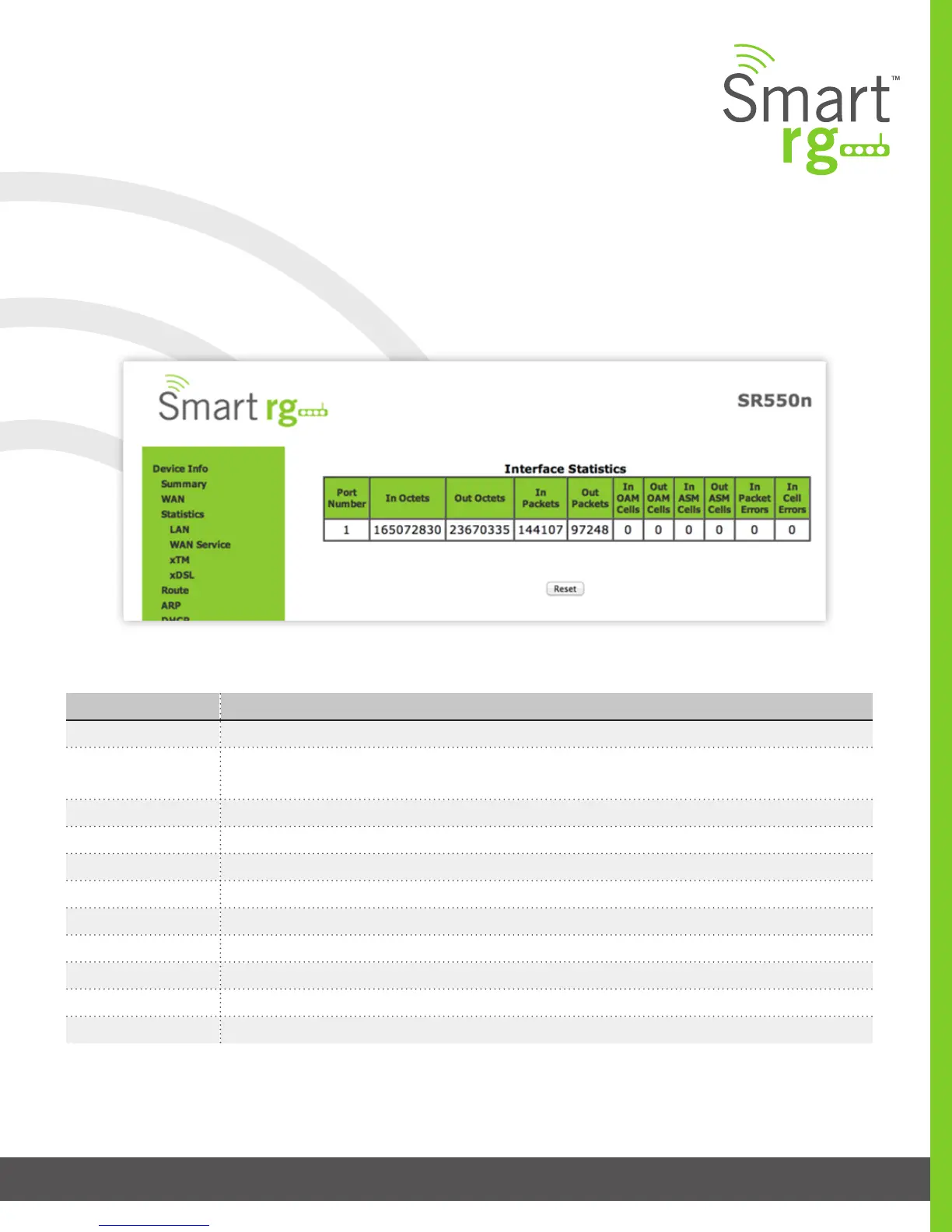
The individual elds on this screen are dened as follows:
Field Name Description
Port Number Displays the statistics specically for Port 1, or both ports if Bonded
In Octets Total quantity of received Octets
Out Octets Total quantity of transmitted Octets
In Packets Total quantity of received Packets
Out Packets Total quantity of transmitted Packets
In OAM Cells Total quantity of received OAM Cells
Out OAM Cells Total quantity of transmitted OAM Cells
In ASM Cells Total quantity of received ASM Cells
Out ASM Cells Total quantity of transmitted ASM Cells
In Packet Errors Total quantity of received Packet Errors
In Cell Errors Total quantity of received Cell Errors
xTM
The Device Info -> Statistics -> xTM displays the ATM/PTM statistics for your SmartRG Gateway. All WAN interfaces congured
for your SmartRG gateway are included.
Use the Reset button near the bottom of the screen to reset these counters.



 To Next Page