Page 29
501 SE Columbia Shores Boulevard, Suite 500, Vancouver, Washington 98661, USA l +1 360 859 1780
SmartRG Inc. Propriety and Condential. All Rights Reserved. Copyright © 2014 smartrg.com
ETH Interface
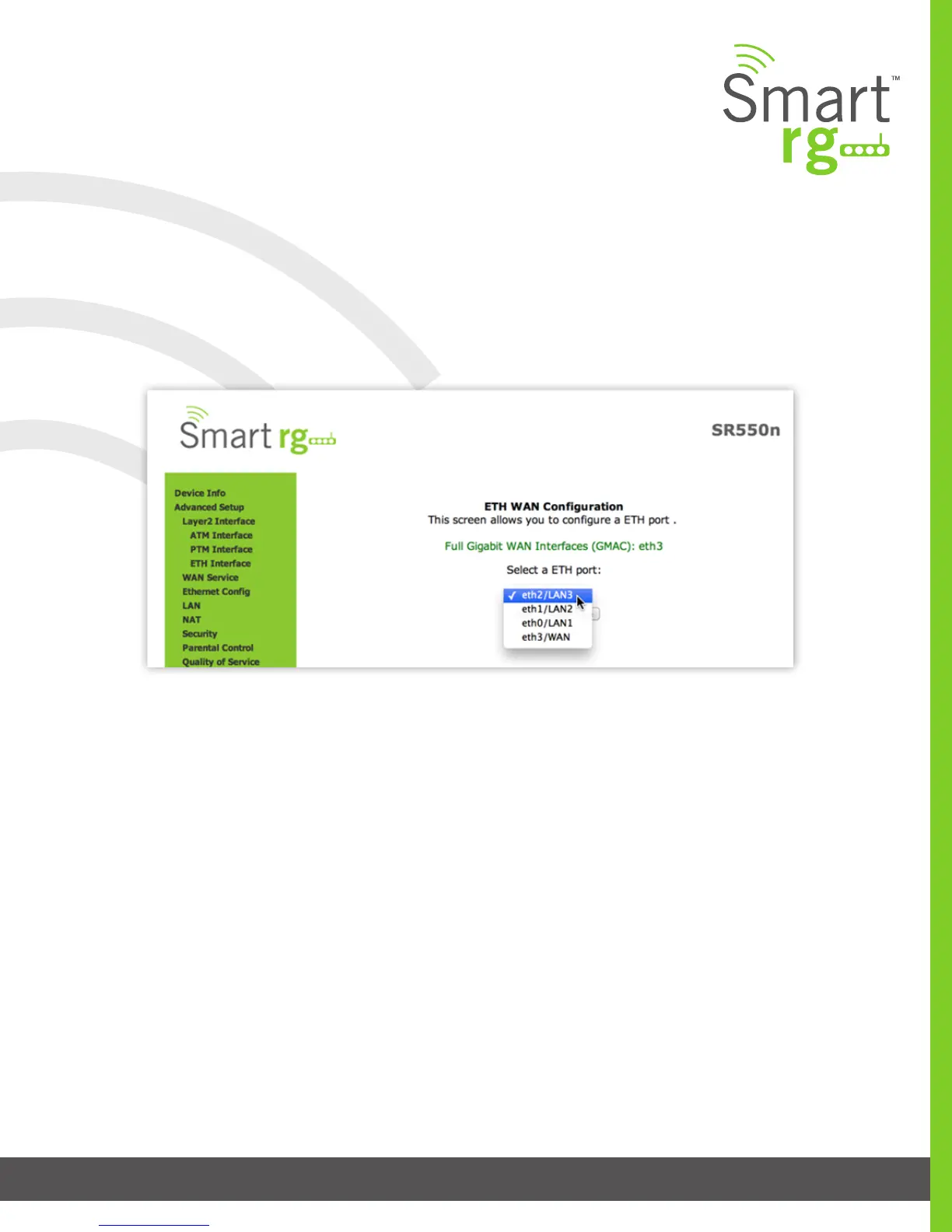
Your gateway has four LAN ports. One of them can be re-purposed to become a WAN port when such an RJ45 WAN port is desired.
After selecting Advanced Setup -> Layer2 Interface -> ETH Interface from the left navigation bar, click Add in the center pane. The
following screen will appear. From the drop-down menu in the center pane, simply select the LAN port you wish to act as a WAN
port.
WAN Service
There are several variations of WAN Service available to congure. The three core variations are:
• PPP over Ethernet (PPPoE)
• IP over Ethernet
• Bridging
This chapter will illustrate a sample conguration scenario down each of these three variations and dene the available elds to
customize your WAN service setup.
PPP over Ethernet
After selecting Advanced Setup -> WAN Service from the left navigation bar, click the Add button. A progression of several screens
will follow. Advance to the next after completing the required elds using the Next button appearing near the bottom of each
screen.



 To Next Page