Page 61
501 SE Columbia Shores Boulevard, Suite 500, Vancouver, Washington 98661, USA l +1 360 859 1780
SmartRG Inc. Propriety and Condential. All Rights Reserved. Copyright © 2014 smartrg.com
DNS
DNS Server
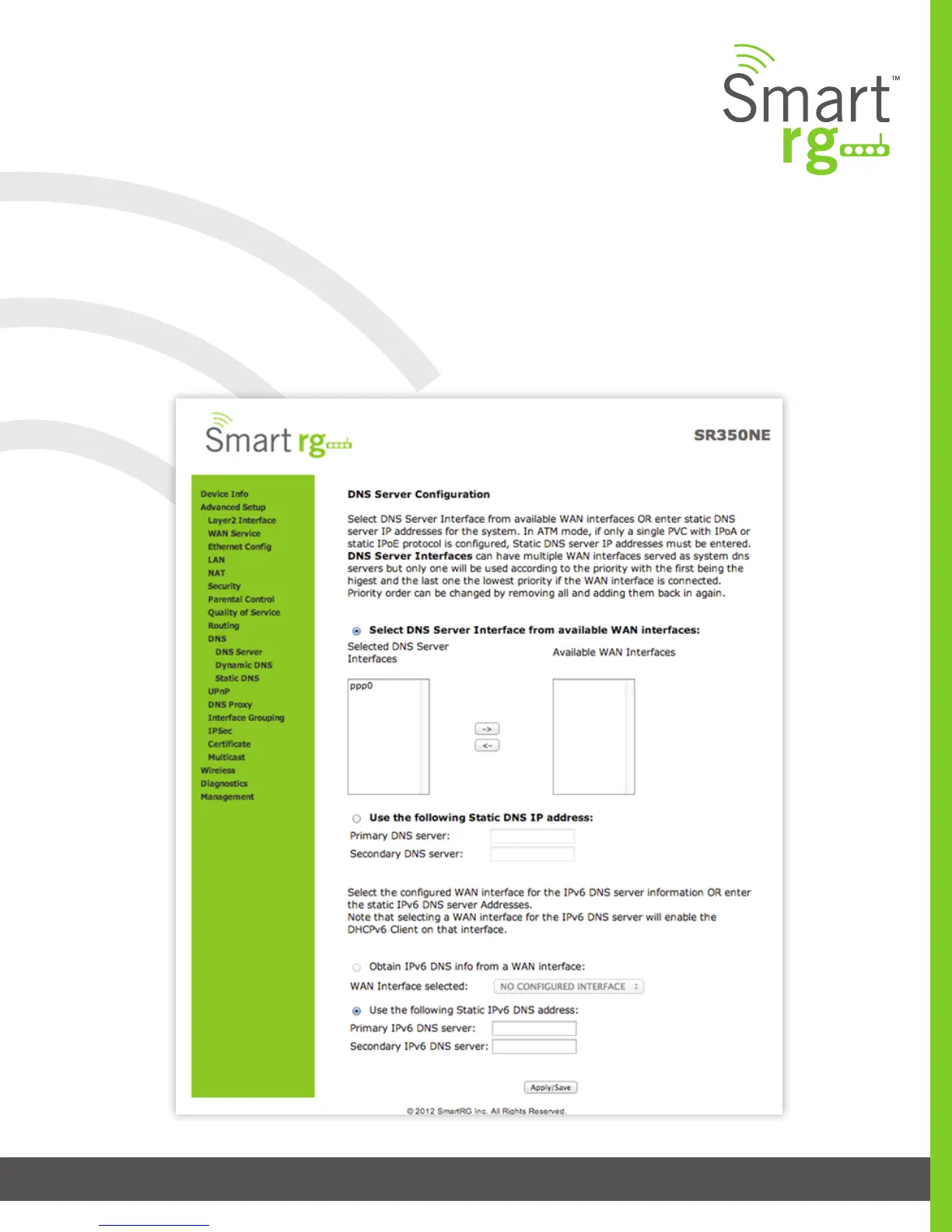
Use the features of this screen to input the Domain Name Server information supplied by the service provider.
After selecting Advanced Setup -> DNS -> DNS Server from the left navigation bar, the following screen will appear. Enter your
desired settings. Click Apply/Save to commit changes.



 To Next Page