Page 54
501 SE Columbia Shores Boulevard, Suite 500, Vancouver, Washington 98661, USA l +1 360 859 1780
SmartRG Inc. Propriety and Condential. All Rights Reserved. Copyright © 2014 smartrg.com
Field Name Description
The following selections are exposed if either Weighted Priority algorithm is selected as Scheduler Algorithm.
Minimum Rate [1-100000 Kbps] [-1 value indicates no minimum shaping applied]
Minimum shaping rate dened for packets in QoS queue.
Shaping Rate [1-100000 Kbps] [-1 value indicates no minimum shaping applied]
Shaping rate dened for packets in QoS queue dened.
QoS Classification
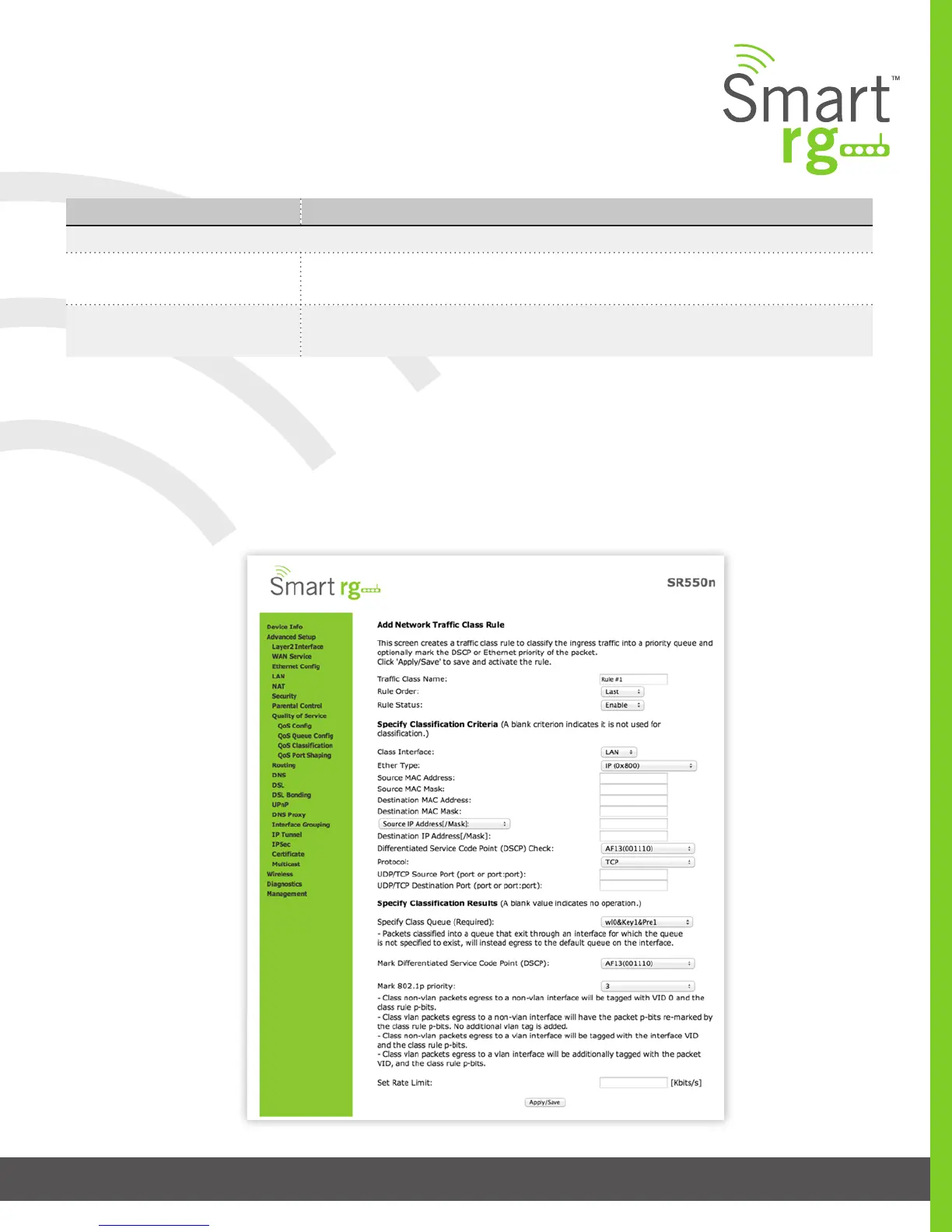
Use QoS Classication to create trac class rule to classify the ingress trac into a priority queue. Optionally, you may also mark
the DSCP or Ethernet priority of the packet.
After selecting Advanced Setup -> Quality Of Service -> QoS Classication, click the Add button. The following screen will appear.
A maximum of 32 entries can be congured.
Click the Apply/Save button to commit your changes.



 To Next Page