Page 76
501 SE Columbia Shores Boulevard, Suite 500, Vancouver, Washington 98661, USA l +1 360 859 1780
SmartRG Inc. Propriety and Condential. All Rights Reserved. Copyright © 2014 smartrg.com
Certicate
Use the Advanced Setup -> Certicate pages to congure certicates for the gateway. Certicates contain public keys as well as
the identity of the owner. They verify a person’s identity. You can use Local and Trusted CA certicates on this gateway.
Local
Use the Local Certicate page to congure certicates for the gateway. Local certicates are used to identify the gateway to other
users. You can create a new certicate request locally and have it signed by a certicate authority or import an existing certicate.
Consult ITU-T X.509 for additional info regarding Public Key Infrastructure (PKI).
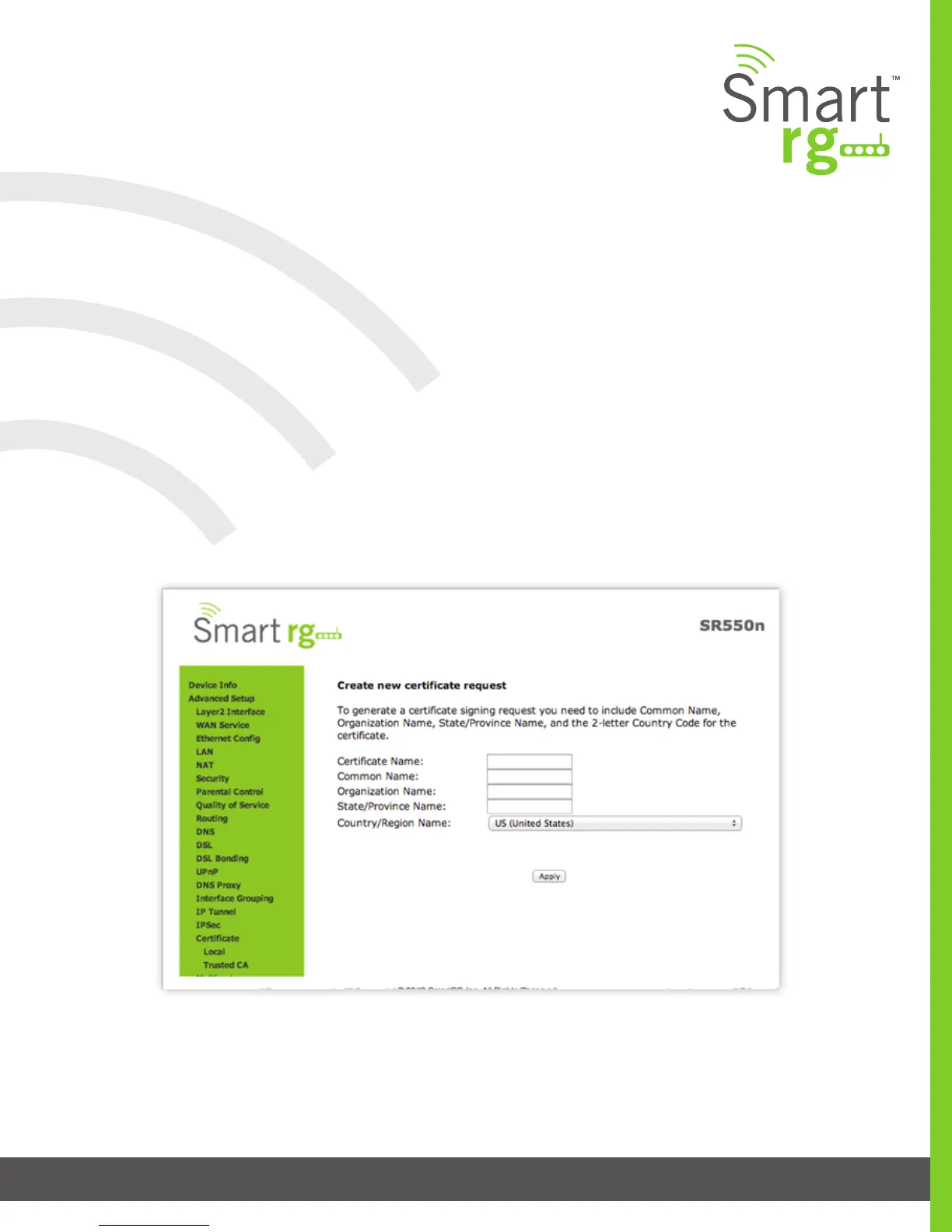
After selecting Advanced Setup -> Certicate -> Local from the left navigation bar, click the Create Certicate Request button. This
function facilitates the application process for a new certicate. Complete the necessary elds.
The screen shown on the next page will appear. Enter your connection details by completing the appropriate elds.



 To Next Page