Page 87
501 SE Columbia Shores Boulevard, Suite 500, Vancouver, Washington 98661, USA l +1 360 859 1780
SmartRG Inc. Propriety and Condential. All Rights Reserved. Copyright © 2014 smartrg.com
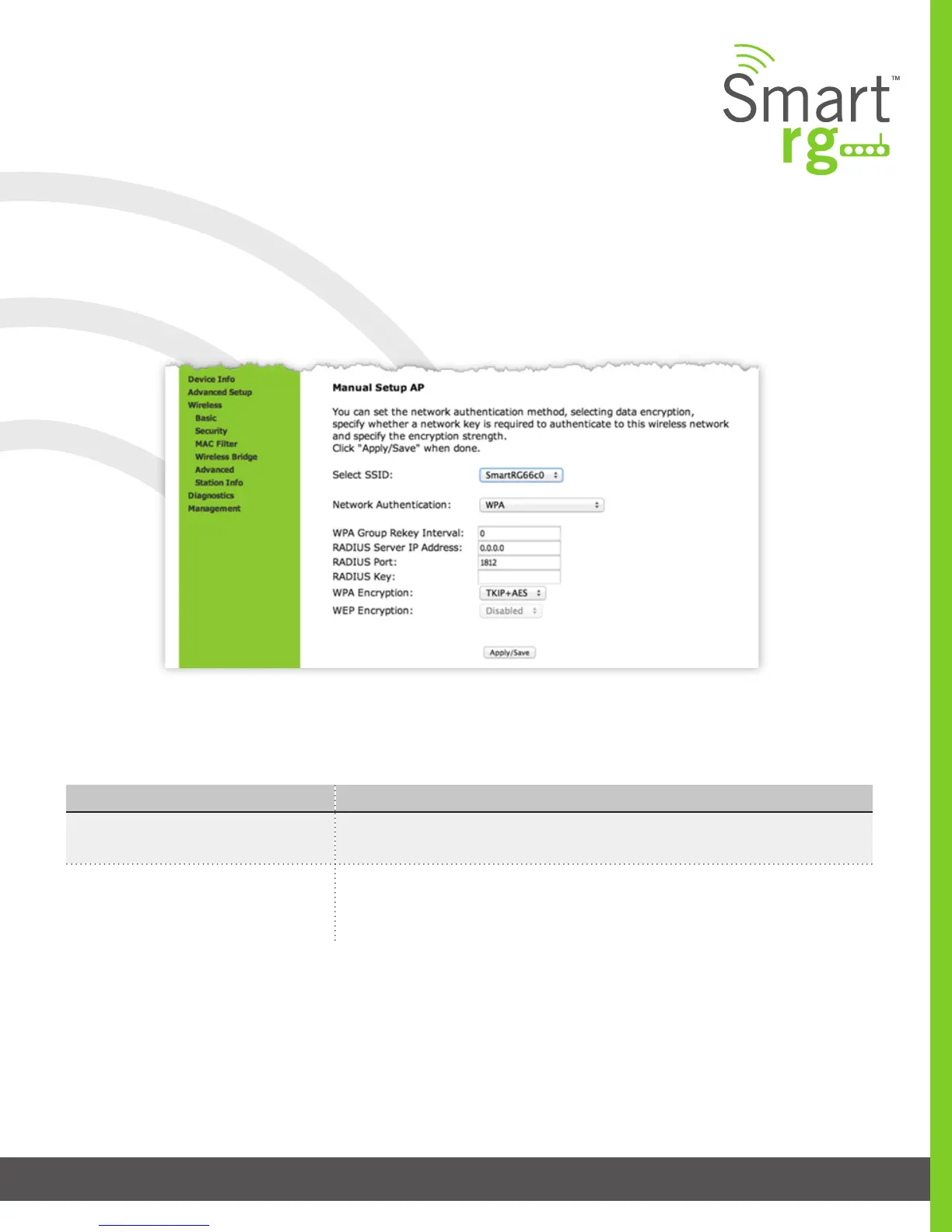
Manual Setup
Network Authentication: WPA
WPA Authentication requires the same set of parameters as used with 802.1X with but with the two parameters added: WPA
Group Rekey Interval and WEP Encryption. Reference the above table for eld descriptions not found in the table for WPA below.
The individual elds on this screen are dened as follows:
Field Name Description
WPA Group Rekey Interval [1-65535 seconds] The frequency with which the gateway automatically updates the
group key and sends it to connected LAN client devices.
WPA/WAPI Encryption [AES, TKIP+AES] Choose from Advanced Encryption Standard (AES) or AES com-
bined with Temporary Key Integrity Protocol (TKIP). This eld has been pre-popu-
lated with the option most complimentary to the Network Authentication selected.



 To Next Page