Page 36
501 SE Columbia Shores Boulevard, Suite 500, Vancouver, Washington 98661, USA l +1 360 859 1780
SmartRG Inc. Propriety and Condential. All Rights Reserved. Copyright © 2014 smartrg.com
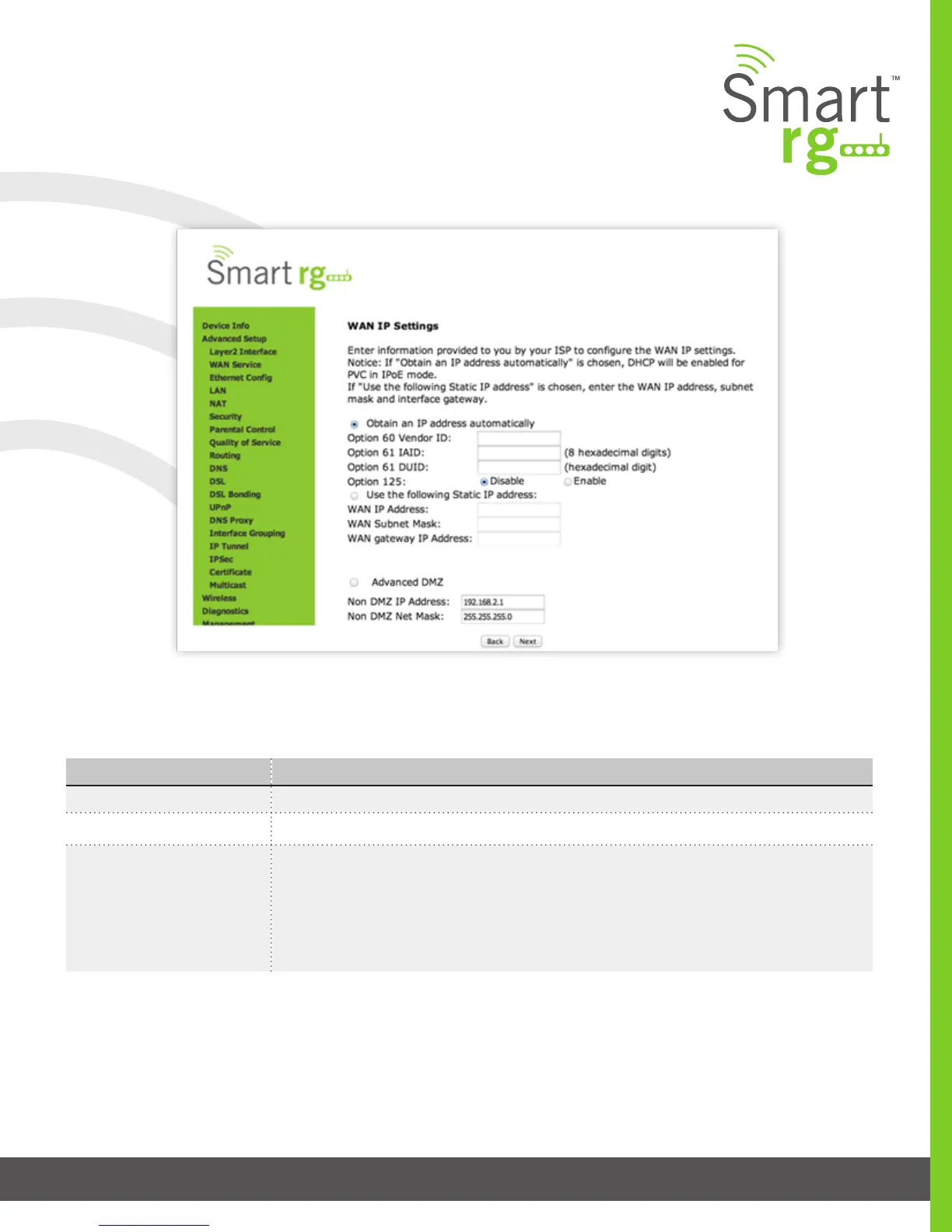
Enter the relevant WAN IP Settings.
Click Next after completing the necessary elds.
The individual elds on this screen are dened as follows:
Field Name Description
WAN service type [PPP over Ethernet PPPOE, IP over Ethernet IPoE, Bridging]
Enter Service Description Enter a name to describe this conguration.
Network Protocol Selection [IPV4 Only]
[IPV4&IPV6] (Dual Stack) – IPV4 and IPV6 running concurrently.
[IPV6 Only]
Note: When selecting IPV4&IPV6 or IPV6 the subsequent options presented will change ac-
cordingly.



 To Next Page