Page 74
501 SE Columbia Shores Boulevard, Suite 500, Vancouver, Washington 98661, USA l +1 360 859 1780
SmartRG Inc. Propriety and Condential. All Rights Reserved. Copyright © 2014 smartrg.com
IPSec
Internet Protocol Security is a protocol for securing communications by packet level encryption and authentication. Use the
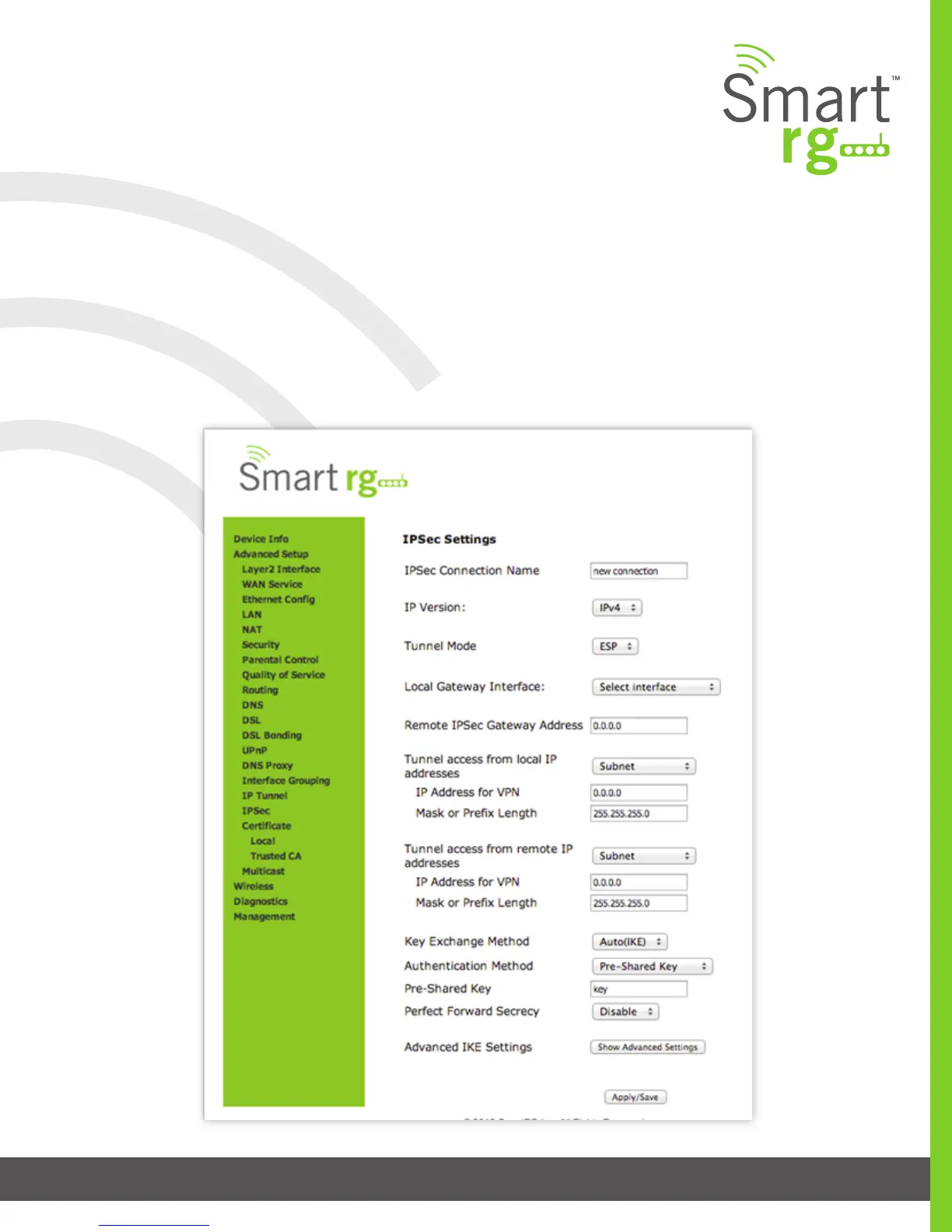
IPSec page to enable and remove connections, or edit existing connections. The IPSec conguration screen is dynamic. Some
options are revealed or hidden depending on the selected connection.
After selecting Advanced Setup -> IP Sec from the left navigation bar, click the Add New Connection. The following screen will ap-
pear. Enter your connection details by completing the appropriate elds.
Click Apply/Save to commit your changes.



 To Next Page