Page 92
501 SE Columbia Shores Boulevard, Suite 500, Vancouver, Washington 98661, USA l +1 360 859 1780
SmartRG Inc. Propriety and Condential. All Rights Reserved. Copyright © 2014 smartrg.com
Field Name Description
Network Key 1-4 Enter up to four encryption keys using the on-screen instructions to achieve the de-
sired security strength (128 or 64 bit).
Manual Setup
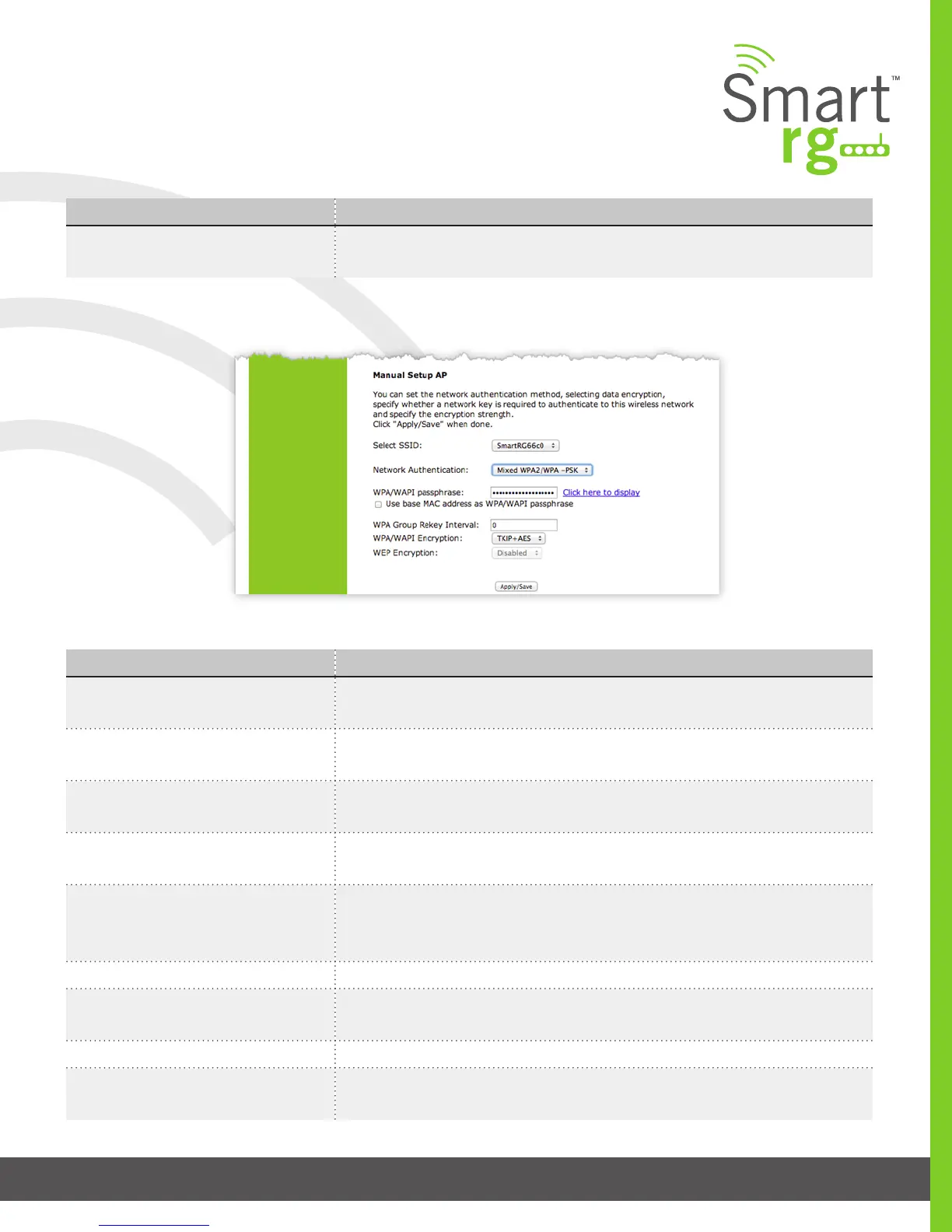
Network Authentication: Mixed WPA2/WPA-PSK
The individual elds on this screen are dened as follows:
Field Name Description
Select SSID Select the SSID from the drop-down list for the wireless network to which this secu-
rity conguration will apply.
WPA2 Preauthentication When enabled, clients can pre-authenticate with the gateway while still connected
to another AP.
Network Re-Auth Interval [0-2,147,483,647 seconds] The interval that the client must re-authenticate with the
gateway.
WPA Group Rekey Interval [1-65535 seconds] The frequency with which the gateway automatically updates the
group key and sends it to connected LAN client devices.
WPA/WAPI Encryption [AES, TKIP+AES] Choose from Advanced Encryption Standard (AES) or AES com-
bined with Temporary Key Integrity Protocol (TKIP). This eld has been pre-popu-
lated with the option most complimentary to the Network Authentication selected.
WEP Encryption [Enabled, Disabled] Select Enabled to turn on Wired Equivalent Privacy mode.
Encryption Strength [128 bit, 64 bit] Select the length of the encryption method. 128 bit being the more
robust option for security.
Current Network Key [1-4] Select which of the four keys from the list is presently in effect.
Network Key 1-4 Enter up to four encryption keys using the on-screen instructions to achieve the de-
sired security strength (128 or 64 bit).



 To Next Page