Page 44
501 SE Columbia Shores Boulevard, Suite 500, Vancouver, Washington 98661, USA l +1 360 859 1780
SmartRG Inc. Propriety and Condential. All Rights Reserved. Copyright © 2014 smartrg.com
Field Name Description
Filter Name A free form text eld. Give your lter an intuitive name.
IP Version Version IPv4 is selected by default. IPV6 can be alternately selected. For the lter to be
IPV6 congured and effective requires the gateway be installed on a network that is either
a pure IPV6 network having that protocol enabled or it is both IPV4 and IPV6 dual protocol
enabled/congured. Choosing IPV6 means both the Source and Destination IP address as
described below must be specied in IPV6 format (e.g. the following is an IPV6 compliant,
hexadecimal address.
2001:0DB8:AC10:FE01:0000:0000:0000:0001).
Protocol [TCP/UDP,TCP, UDP, or ICMP] Sets the protocol prole for the lter you are dening. TCP/
UDP is most commonly used.
Source IP address [/prex length] Enter the source IP address of a LAN side host for which you wish to lter/block it’s outgoing
trac for the specied protocol(s).
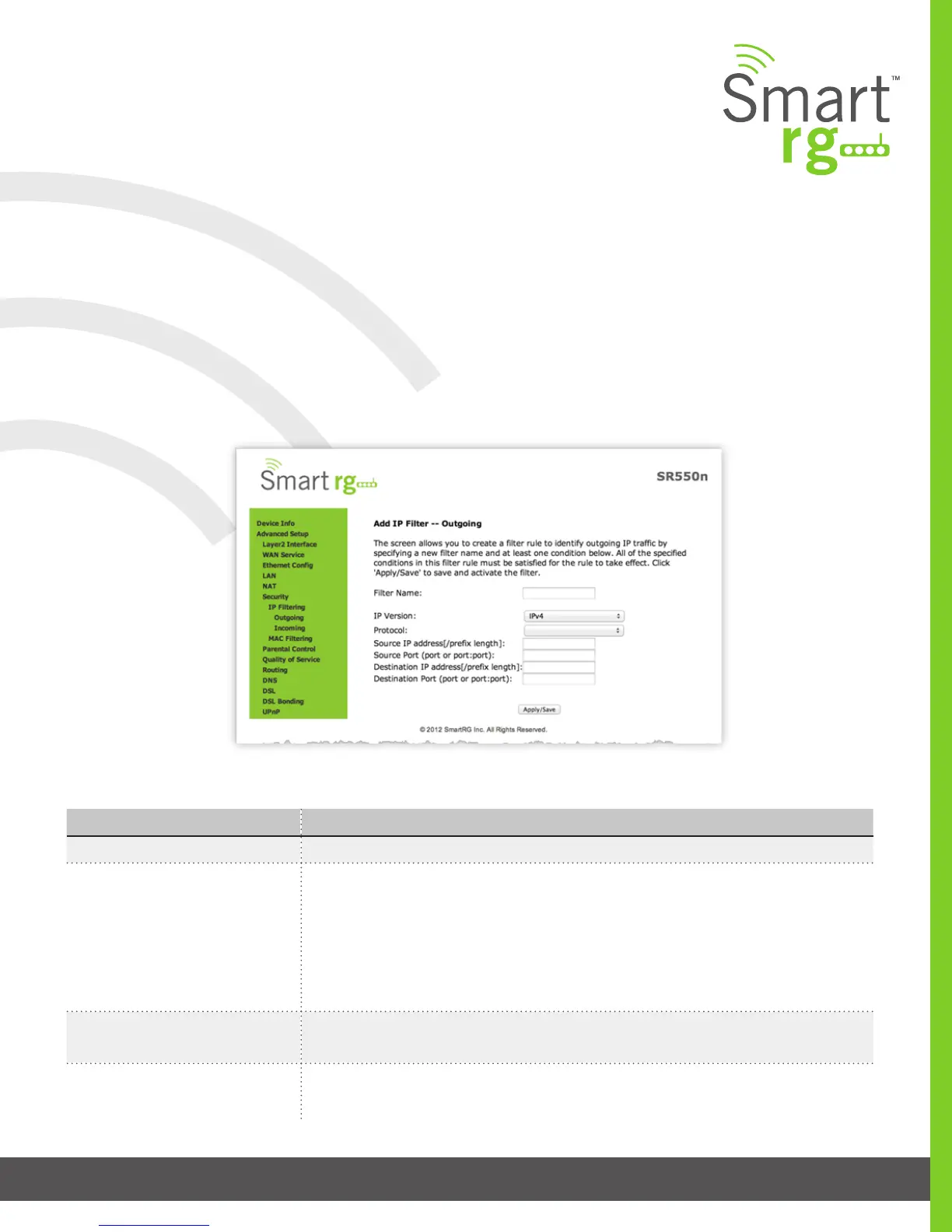
The individual elds on this screen are dened as follows:
SECURITY
IP Filtering
Outgoing
Add an Outgoing lter when refusal of data from the LAN to the WAN is desired.
After selecting Advanced Setup -> Security -> IP Filtering -> Outgoing from the left navigation bar, click the Add button. The follow-
ing screen will appear to facilitate the ltering you desire. Click Apply/Save to commit the completed entry.



 To Next Page