Page 78
501 SE Columbia Shores Boulevard, Suite 500, Vancouver, Washington 98661, USA l +1 360 859 1780
SmartRG Inc. Propriety and Condential. All Rights Reserved. Copyright © 2014 smartrg.com
Trusted CA
Use Trusted Certicates to identity other gateways to your gateway as a trusted source. You can import and store four trusted
certicates on the gateway. Store up to four peer certicates using this feature.
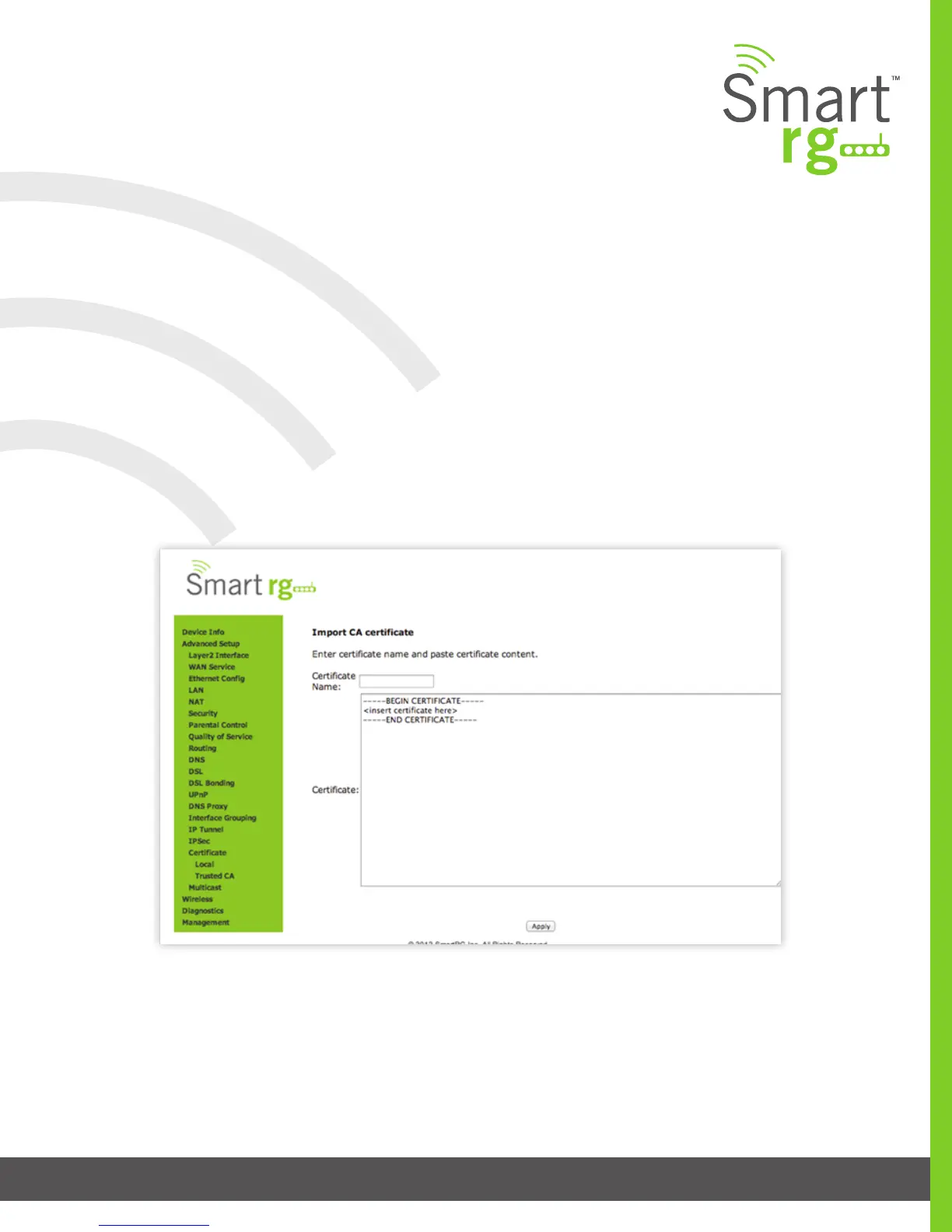
After selecting Advanced Setup -> Certicate -> Trusted CA from the left navigation bar, click the Import Certicate button. The
following screen will appear.
Enter “acscert” for the Certicate Name eld then paste the Certicate details as indicated between the BEGIN and END markers.
Click Apply to commit this Certicate.
After adding one certicate, a Remove button will be revealed on the Trusted CA landing page.



 To Next Page