Page 58
501 SE Columbia Shores Boulevard, Suite 500, Vancouver, Washington 98661, USA l +1 360 859 1780
SmartRG Inc. Propriety and Condential. All Rights Reserved. Copyright © 2014 smartrg.com
Static Route
Static Route is one form of manually congured, xed route for IP data.
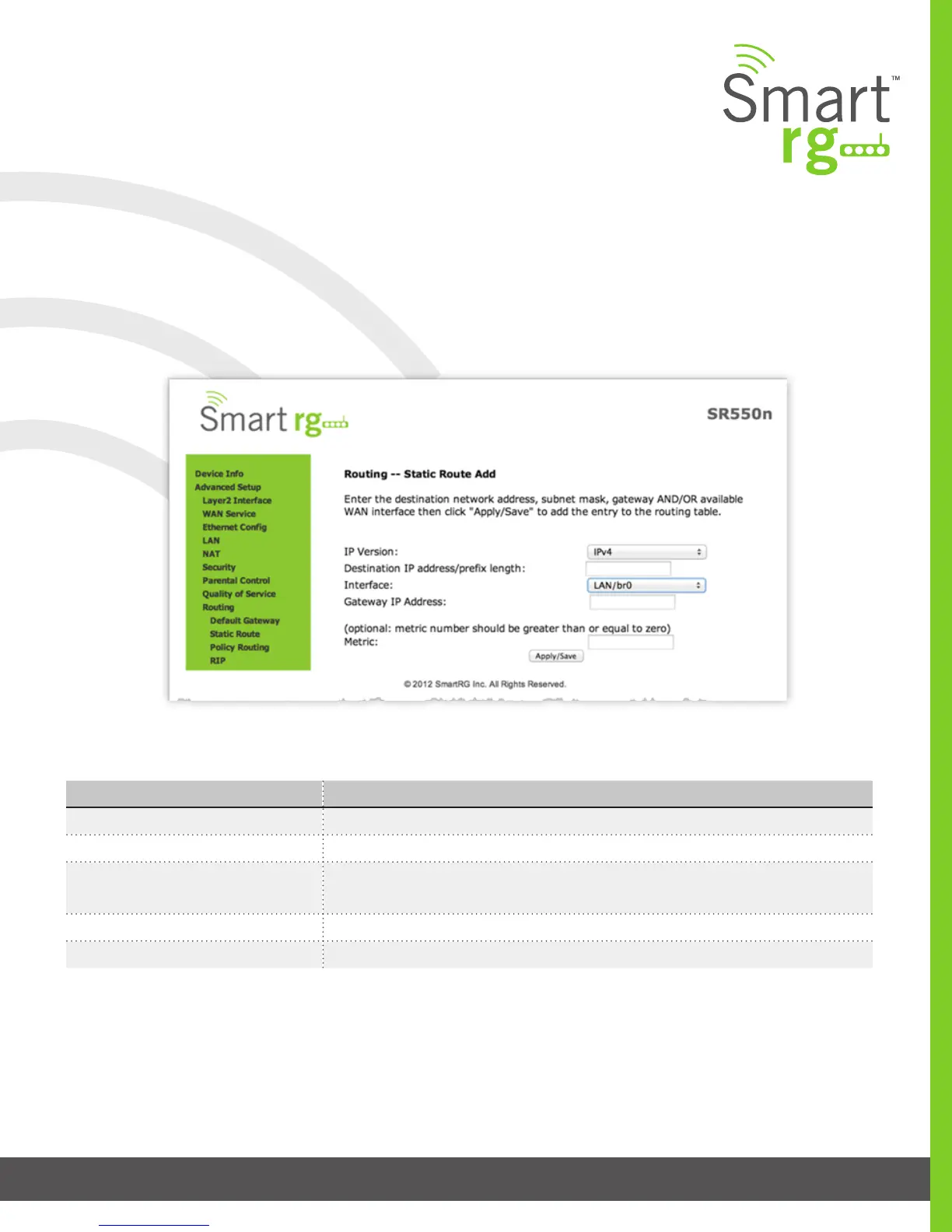
After selecting Advanced Setup -> Routing -> Static Route, click the Add button and the following screen will appear. Click the
Apply/Save button to commit the changes entered. Up to 32 entries may be added.
Field Name Description
IP Version [IPv4, IPv6] Select the IP version associated with the static route you wish to create.
Destination IP address/prex length Enter the destination network address / subnet mask for route
Interface WAN Interface(s) available for selection. This list ltered by to IP Version set in the rst
drop-down list.
Gateway IP Address Destination IP address desired (/prex length if needed)
Metric (optional) [>=0] Establishes trac priority/weighting.
The individual elds on this screen are dened as follows:



 To Next Page