Page 30
501 SE Columbia Shores Boulevard, Suite 500, Vancouver, Washington 98661, USA l +1 360 859 1780
SmartRG Inc. Propriety and Condential. All Rights Reserved. Copyright © 2014 smartrg.com
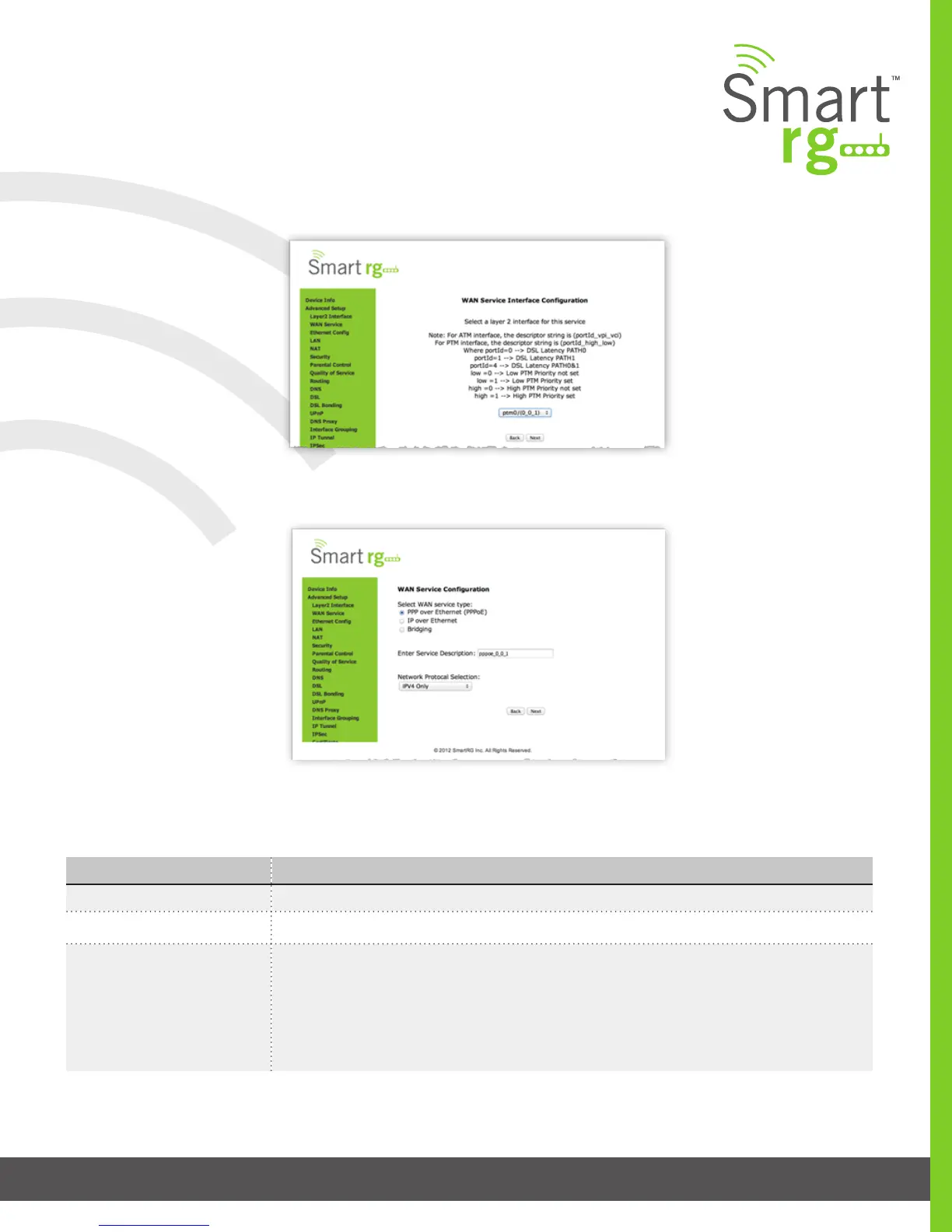
First, select the Layer2 interface to use for the WAN service.
Click the Next button to advance to the next step.
Next, select the type of WAN service you wish to create.
For this example choose PPP over Ethernet.
Click Next after completing the necessary elds.
The individual elds on this screen are dened as follows:
Next, congure the PPP Username, Password and related information.
Field Name Description
WAN service type [PPP over Ethernet PPPOE, IP over Ethernet IPoE, Bridging]
Enter Service Description Enter a name to describe this conguration.
Network Protocol Selection A data packet scheduling technique allowing different scheduling priorities to statistically mul-
tiplexed data ows. Since each data ow has its own queue, an ill-behaved ow (who has sent
larger packets or more packets per second than the others since it became active) will only
punish itself and not other sessions.



 To Next Page