SOLO BETA User Manual
Section 6 _Piano Switch:
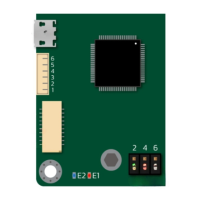
The piano switch in SOLO is used for the manual mode settings and for the convenience of those
who want to use SOLO with minimum possible external modules and wirings. The main roles of the
Piano switch as can be seen are as following:
Figure 3- Piano Switch and its functionality
Pin number 5, Defining the Control Mode - Motor Identification:
By putting this pin in UP position we are in open-loop mode, and if this pin is in DOWN position
we are in closed-loop mode.
- Remember you need to go from open-loop to closed-loop mode, when SOLO is powered
ON, so it will identify your motor parameters right after this transition which is necessary
for closed-loop control.
- Once you are in Open-loop mode, the “P/F” input acts as Power input and it has direct
relation with the value of the voltage at this pin ( the higher the voltage at P/F, the higher
the power injected into motor), but in closed loop mode “P/F” acts as current limit and it
has reverse relation with the voltage on this pin ( the higher the voltage the lower will be
the allowed current into the motor), so if this is the first time you are going to identify your
motor parameters, and going to closed-loop mode, make sure the “P/F” input has no
voltage on it ( you can leave it open or apply 0v or 0% duty cycle to it), after you do the
www.solomotorcontrollers.com
January 2021 - Revision V_1.0.5 Copyright © 2020, All right Reversed. SOLO motor controllers.
21



 To Next Page