SOLO BETA User Manual
Digital Open-loop Control of a Brushless motor
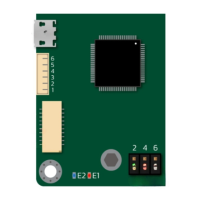
Before sending the following commands you must do the following steps at least once:
1. Turn ON SOLO
2. Put SOLO in open-loop by pushing or leaving Piano switch number 5 in UP position
As long as the piano switch number 5 is UP, you can send the following commands in order to
control the speed of your brushless motor in open-loop mode.
1- Set Motor Type (Normal Brushless)
FF FF 00 15 00 00 00 01 00 FE
2- Set the Motor No of Poles at 8 (Uint32)
FF FF 00 0F 00 00 00 08 00 FE
3- Set the Speed Control Mode on sensor-less
FF FF 00 13 00 00 00 00 00 FE
4- Go to digital Mode
FF FF 00 02 00 00 00 01 00 FE
5- Set the power ref at 30.5 (similar to analog PWM duty cycle percentage) [Sfxt(32-17)]
FF FF 00 06 00 3D 00 00 00 FE
6- Set the speed ref at 1000 rpm (Uint32)
FF FF 00 05 00 00 03 E8 00 FE
Notes:
- By manipulating the values used in steps 5 and 6, you can reach any arbitrary required
speed in real-time.
- The commands stored in Memory will be remembered after power recycle, and there is no
need to set them everytime.
www.solomotorcontrollers.com
January 2021 - Revision V_1.0.5 Copyright © 2020, All right Reversed. SOLO motor controllers.
68



 To Next Page