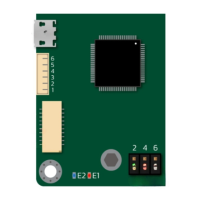
SOLO BETA User Manual
Digital sensorless Speed Control of a DC Brushed motor
Before sending the following commands you must do the following steps at least once:
1. Turn ON SOLO
2. Put SOLO in closed-loop by pushing Pian switch number 5 Down
3. Make sure the motor Identification is done.
As long as the piano switch number 5 is DOWN, you can send the following commands in order to
control the speed of your DC brushed Motor. Also after power recycling you don’t need to repeat
this part again, just leave the Piano switch Number 5 Down as long as your motor and the system
is the same.
1- Set Motor Type (Brushed DC)
FF FF 00 15 00 00 00 00 00 FE
2- Set control Mode on SPEED
FF FF 00 16 00 00 00 00 00 FE
3- Set the speed Kp gain on 0.01 [Sfxt(32-17)]
FF FF 00 0A 00 00 05 1E 00 FE
4- Set the speed ki gain on 0.04 [Sfxt(32-17)]
FF FF 00 0B 00 00 14 7A 00 FE
5- Set the Speed Control Mode on sensor-less
FF FF 00 13 00 00 00 00 00 FE
6- Go to digital Mode
FF FF 00 02 00 00 00 01 00 FE
7- Set the speed ref at 200 * (read below)
FF FF 00 05 00 00 00 C8 00 FE
www.solomotorcontrollers.com
January 2021 - Revision V_1.0.5 Copyright © 2020, All right Reversed. SOLO motor controllers.
64



 To Next Page