Sonos Multi-Room Music System User Guide
9-2
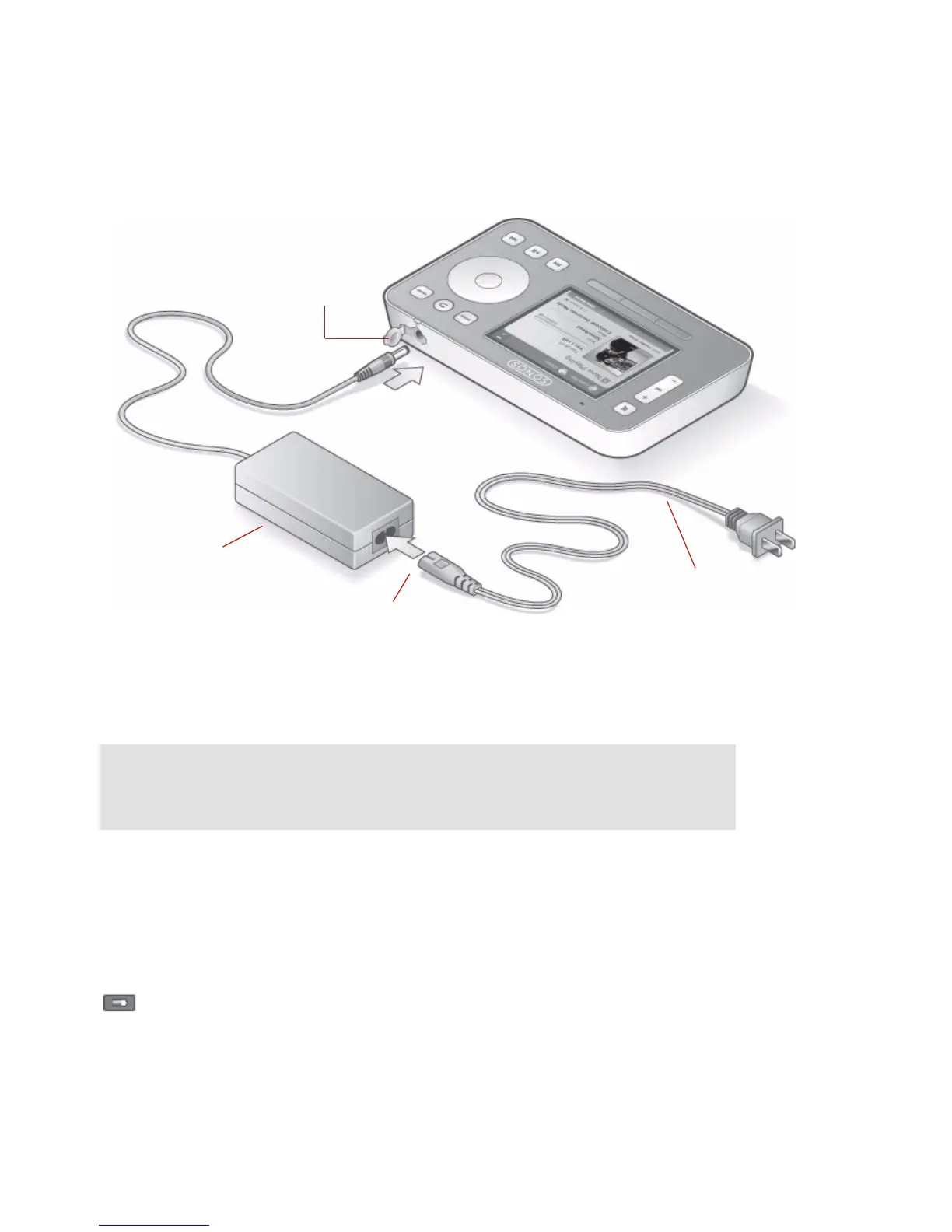
• The power connector cover is part of your Controller’s splash-resistant design,
so keep the cover down when the Controller is not charging.
Battery Charging
Your Controller can be recharged by plugging it into the AC adapter supplied with
your Controller, or by placing it into the Sonos Charging Cradle.
The Battery Charge Indicator on your Controller displays the current charge level.
When the battery charge gets very low, the Battery Status Indicator will light red. To
Caution: Use only the supplied power adapter to charge the Controller’s
battery. Using another adapter will damage your Controller and void your
product warranty.
AC power adapter
AC power adapter
inlet
Power
cable
Power
connector cover
Battery Charge Indicator



 To Next Page