Sonos Multi-Room Music System User Guide
2-30
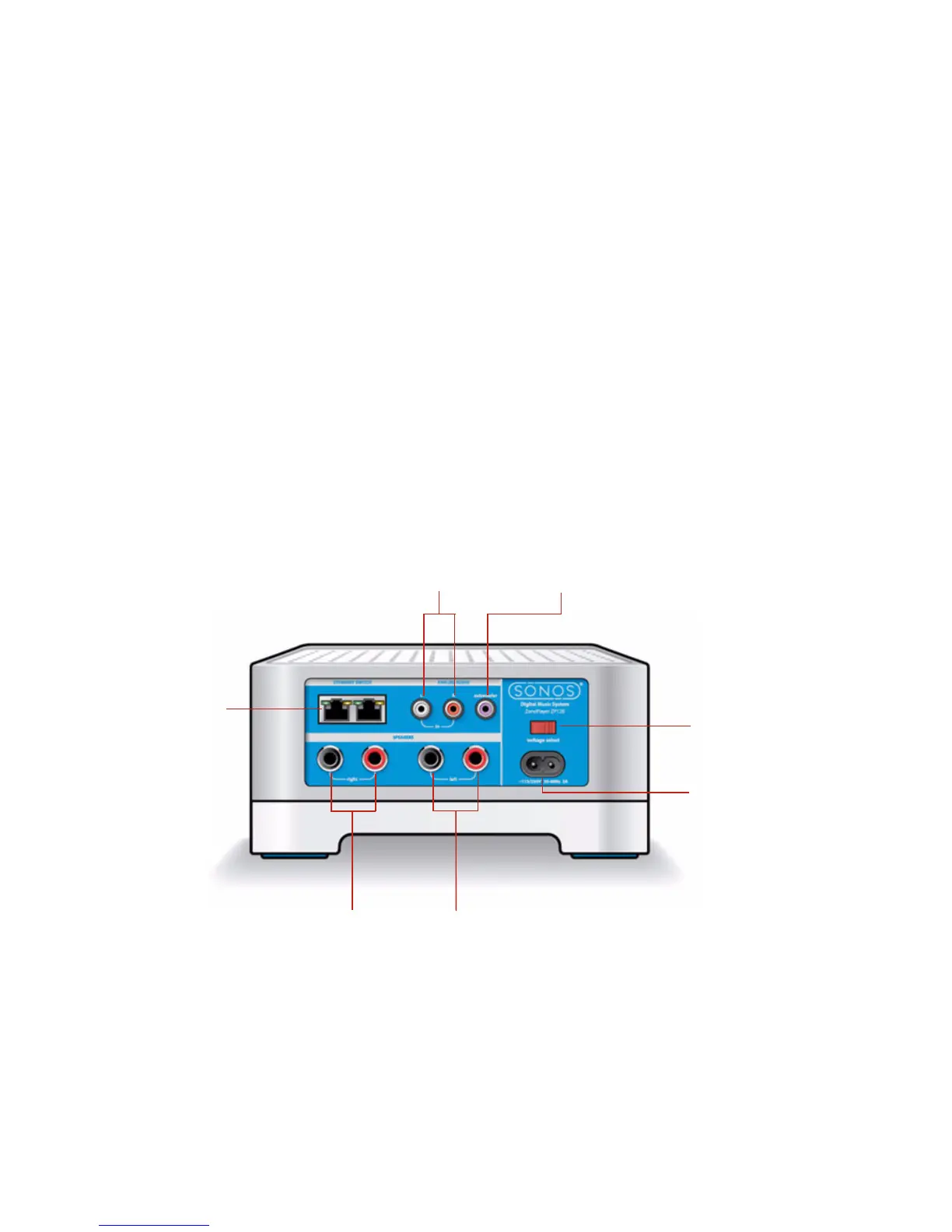
ZonePlayer 120 Rear Panel Connectors
Mute button
• Lights solid green when
sound is muted.
• Flashes green rapidly when
household mute or unmute is
about to take place.
• Flashes green slowly when
ZonePlayer is connecting to
your music system.
To mute/unmute this ZonePlayer: Press the Mute
button to mute or unmute this ZonePlayer.
To mute/unmute all ZonePlayers: Press and hold the
Mute button for 3 seconds to mute all ZonePlayers in
your household. Press and hold for 3 seconds to
unmute all ZonePlayers.
Volume Up (+)
Volume Down (-)
Adjusts the volume up and down.
Ethernet
switch
connectors
Voltage select
115V/230V
AC power
(Mains) input
Analog
audio in
Subwoofer
output
Right speaker terminals
Left speaker terminals
Important Note: Power rating should be at least 75W for 8
Ohm speakers and at least 150W for 4 Ohm speakers



 To Next Page