26 Chapter 4: Setup and Operation
Export or Import User Accounts
Note: Export and import are used to configure multiple systems and to back up user account information.
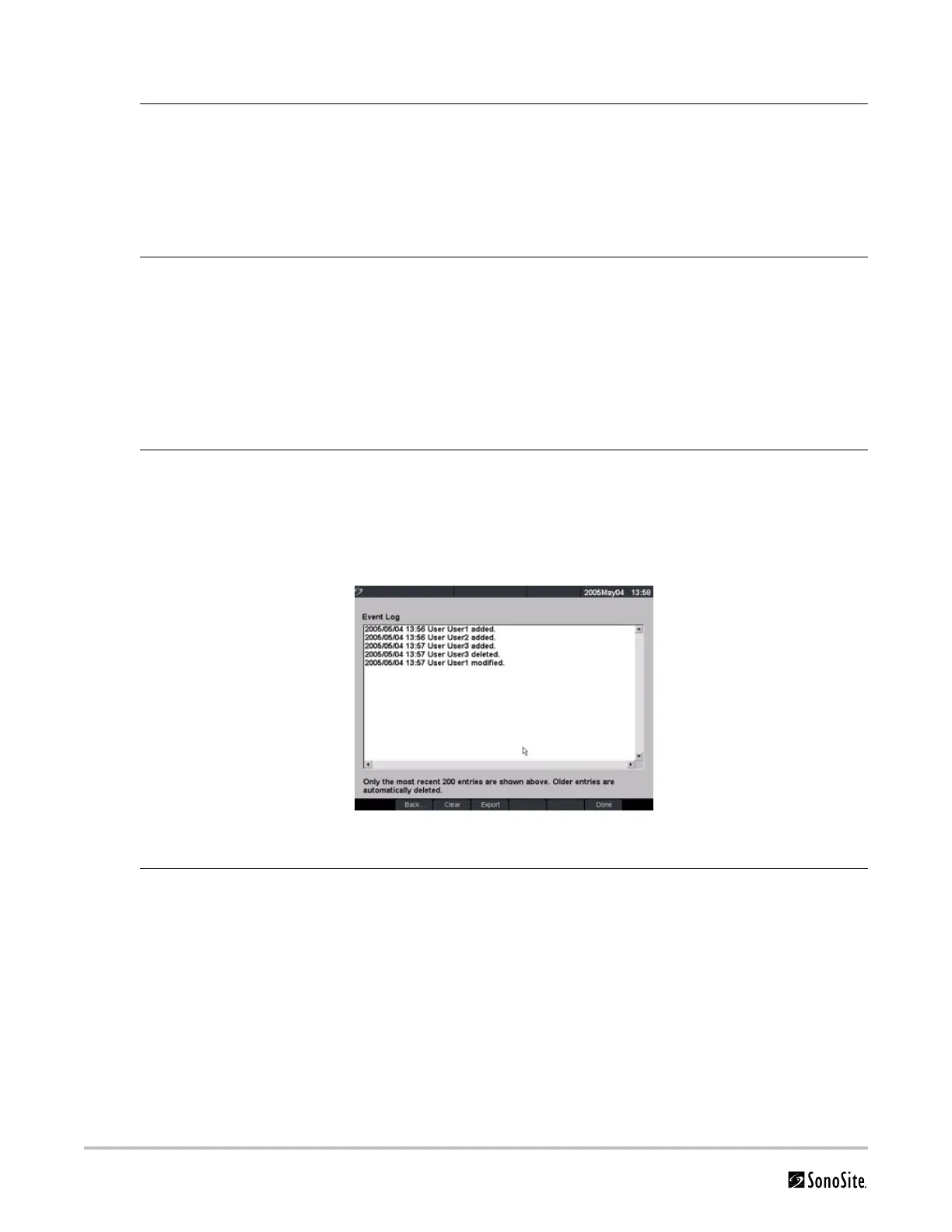
Export and Clear Event Log
The Event Log collects errors and events and can be exported to a CompactFlash card and read by a CompactFlash
reader.
Figure 7 Event Log
Export User Account 1 Insert the CompactFlash card in the back slot of the system. See “Installing and
Removing the CompactFlash Card” on page 39.
2 Press the Setup key.
3 Select Administration.
4 Select Export from the on-screen menu.
All user names and passwords are copied to the CompactFlash card.
5 Remove the CompactFlash card.
Import User Account 1 Insert the CompactFlash card in the back slot of the system. See “Installing and
Removing the CompactFlash Card” on page 39.
2 Press the Setup key.
3 Select Administration.
4 Select Import from the on-screen menu.
A dialog box is displayed.
5 After all user names and passwords are imported, the system restarts.
Note: All user names and passwords currently on the system are replaced with the
imported data.
Reset Select Reset from the on-screen menu to return settings for this setup page to
factory default.
Event Log 1 Press the Setup key.
2 Select Administration.
3 Select Log from the on-screen menu.
The Event Log is displayed.
4 Select Back to return to the previous menu.



 To Next Page