Chapter 2: Getting Started 39
Getting Started
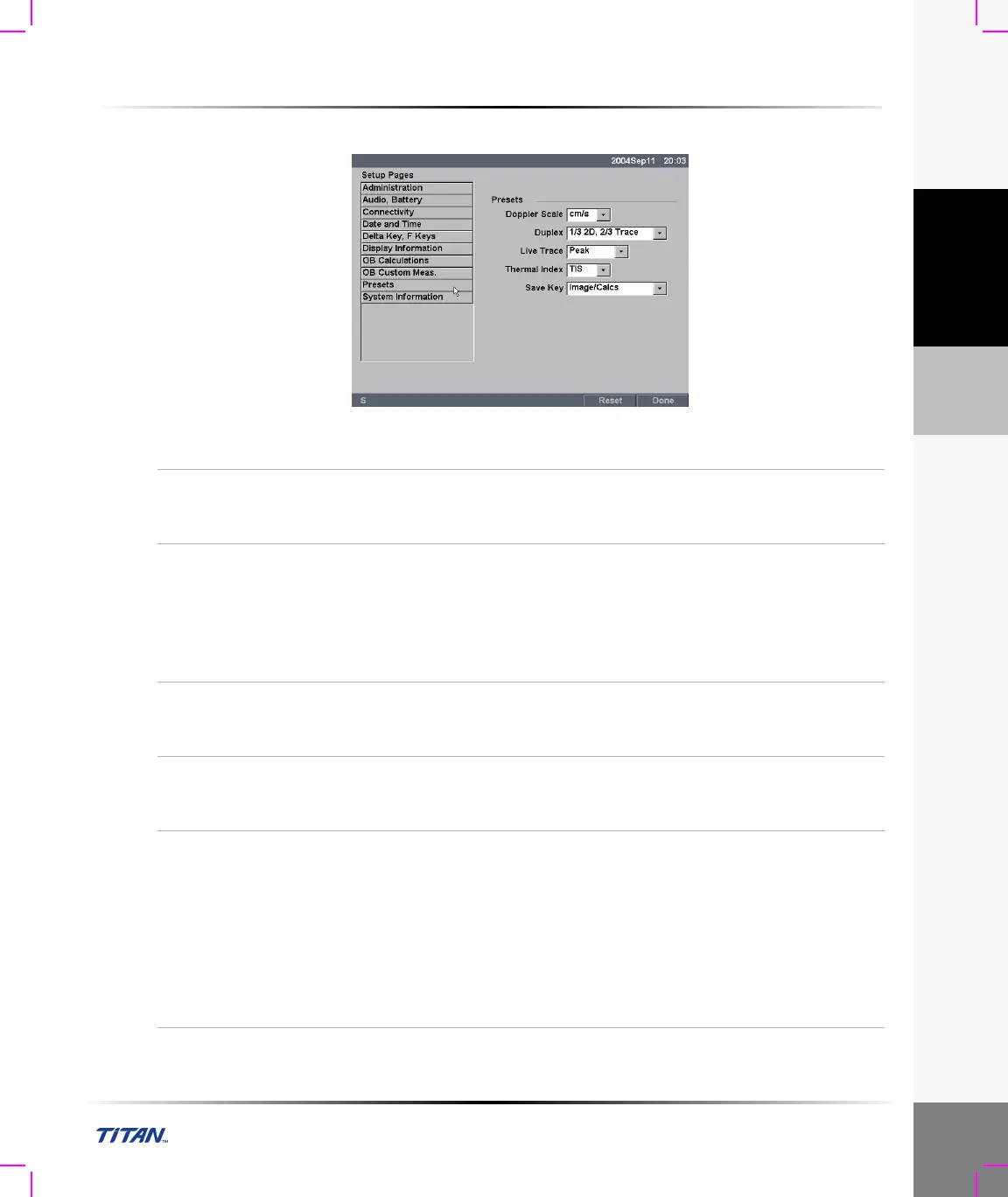
To set Presets:
Figure 19 Setup Screen: Presets
Doppler Scale
1 Press the Setup key.
2 Select Presets.
3 In the Doppler Scale list, select cm/s or kHz.
Duplex
1 Press the Setup key.
2 Select Presets.
3 In the Duplex list, select desired image display.
• Full 2D, Full Trace
• 1/3 2D, 2/3 Trace
• 1/2 2D, 1/2 Trace
Live Trace
1 Press the Setup key.
2 Select Presets.
3 In the Live Trace list, select Peak or Mean.
Thermal Index
1 Press the Setup key.
2 Select Presets.
3 In the Thermal Index list, select TIS, TIB, or TIC.
Save Key
1 Press the Setup key.
2 Select Presets.
3 In the Save key list, select Image Only or Image/Calcs to
designate the function of the Save key.
• Selecting Image Only allows the Save key to save the
image to the CF card.
• Selecting Image/Calcs allows the Save Key to save the
image to the CF card and to save the current calculation to
the report.



 To Next Page