Note on beep sound
As indicated by the .h mark in the illustrations, a beep sounds when you turn the power on or when
you start recording and two beeps sound when you stop recording, confirming the operation. Several
beeps also sound as a warning of any unusual condition of the camcorder (p.59). Note that the beep
sound is not recorded on the tape. If you do not want to hear the beep sound, select "OFF" in the menu
system (p.33).
To Focus the Viewfinder Lens
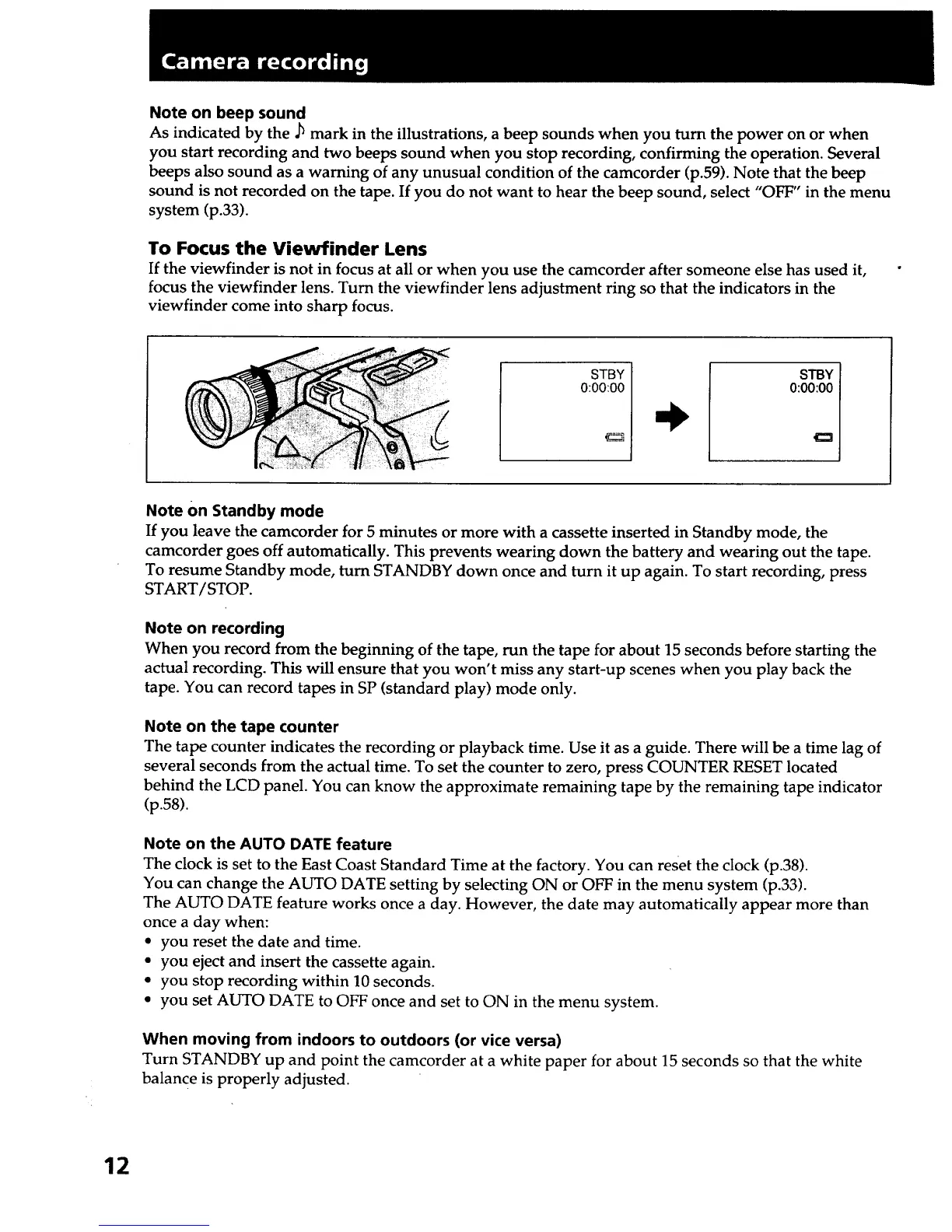
If the viewfinder is not in focus at all or when you use the camcorder after someone else has used it,
focus the viewfinder lens. Turn the viewfinder lens adjustment ring so that the indicators in the
viewfinder come into sharp focus.
STBY
0:00:00
STBY
0:00:00
Note On Standby mode
If you leave the camcorder for 5 minutes or more with a cassette inserted in Standby mode, the
camcorder goes off automatically. This prevents wearing down the battery and wearing out the tape.
To resume Standby mode, turn STANDBY down once and turn it up again. To start recording, press
START/STOP.
Note on recording
When you record from the beginning of the tape, run the tape for about 15 seconds before starting the
actual recording. This will ensure that you won't miss any start-up scenes when you play back the
tape. You can record tapes in SP (standard play) mode only.
Note on the tape counter
The tape counter indicates the recording or playback time. Use it as a guide. There will be a time lag of
several seconds from the actual time. To set the counter to zero, press COUNTER RESET located
behind the LCD panel. You can know the approximate remaining tape by the remaining tape indicator
(p.58).
Note on the AUTO DATE feature
The clock is set to the East Coast Standard Time at the factory. You can reset the clock (p.38).
You can change the AUTO DATE setting by selecting ON or OFF in the menu system (p.33).
The AUTO DATE feature works once a day. However, the date may automatically appear more than
once a day when:
• you reset the date and time.
• you eject and insert the cassette again.
• you stop recording within 10 seconds.
• you set AUTO DATE to OFF once and set to ON in the menu system.
When moving from indoors to outdoors (or vice versa)
Turn STANDBY up and point the camcorder at a white paper for about 15 seconds so that the white
balance is properly adjusted.
12













 To Next Page