You can select from four PROGRAM AE (Auto Exposure) modes to suit your shooting situation. When
you use PROGRAM AE, you can get a Portrait effect (the subject is in fnr_1_ anr'l thp harl_c_round is out
of focus), capture high-speed action or record night views.
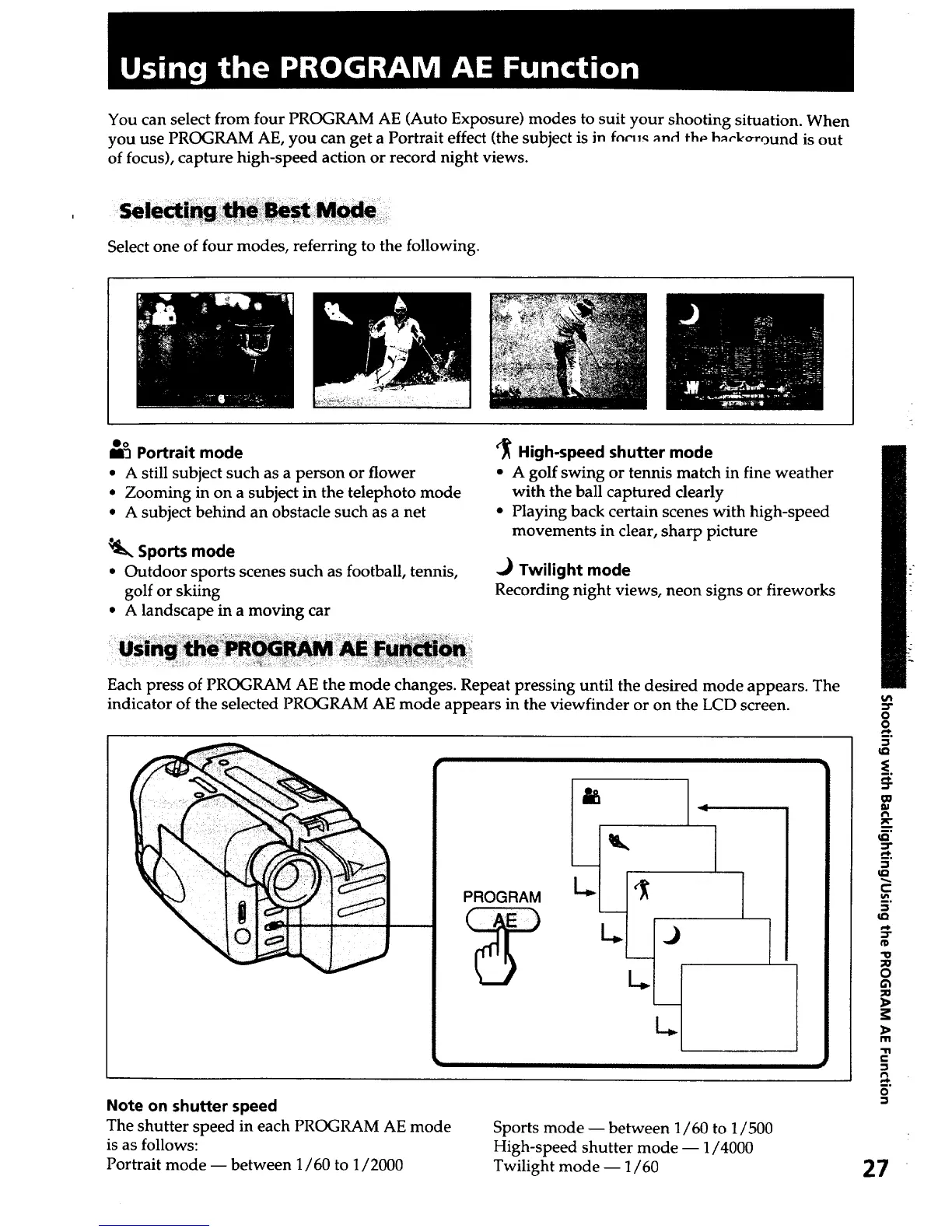
Select one of four modes, referring to the following.
Oo
13 Portrait mode
• A still subject such as a person or flower
• Zooming in on a subject in the telephoto mode
• A subject behind an obstacle such as a net
Sports mode
• Outdoor sports scenes such as football, tennis,
golf or skiing
• A landscape in a moving car
'J_ High-speed shutter mode
• A golf swing or tennis match in fine weather
with the ball captured clearly
• Playing back certain scenes with high-speed
movements in clear, sharp picture
.,_ Twilight mode
Recording night views, neon signs or fireworks
Each press of PROGRAM AE the mode changes. Repeat pressing until the desired mode appears. The
indicator of the selected PROGRAM AE mode appears in the viewfinder or on the LCD screen.
PROGRAM
Note on shutter speed
The shutter speed in each PROGRAM AE mode
is as follows:
Portrait mode -- between 1/60 to 1/2000
Sports mode -- between 1/60 to 1/500
High-speed shutter mode -- 1/4000
Twilight mode -- 1/60
O
!.
m
#'1
c
"U
o
m
-11
c-
o
27













 To Next Page