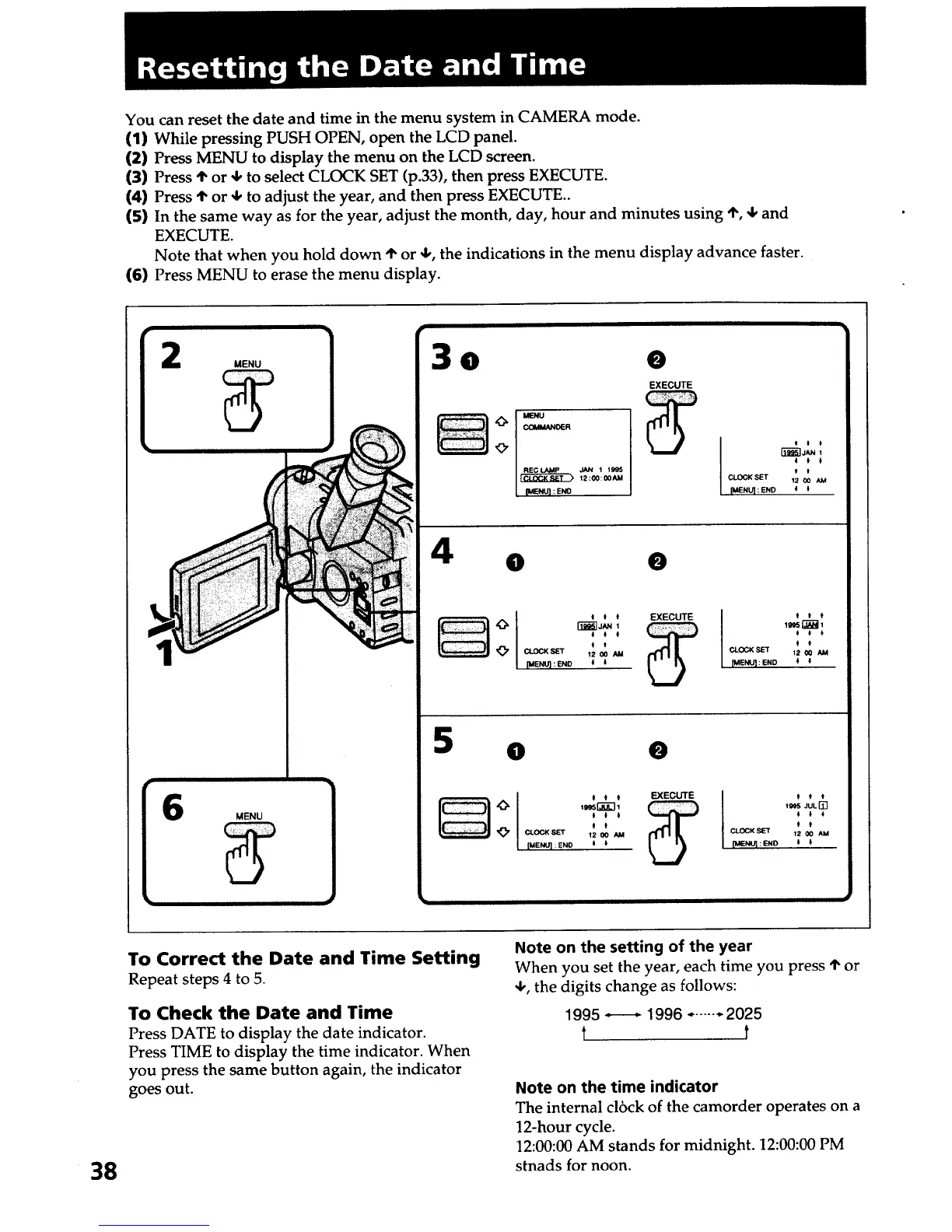
You can reset the date and time in the menu system in CAMERA mode.
(1) While pressing PUSH OPEN, open the LCD panel.
(2) Press MENU to display the menu on the LCD screen.
(3) Press I' or 4, to select CLOCK SET (p.33), then press EXECUTE.
(4) Press I"or 4, to adjust the year, and then press EXECUTE..
(5) In the same way as for the year, adjust the month, day, hour and minutes using ,!', 4, and
EXECUTE.
Note that when you hold down '1"or 4,, the indications in the menu display advance faster.
(6) Press MENU to erase the menu display.
MENU
MENU
3o o
12:1_: 00_1
[ [MENU] :ENO
EXECUTE
4
• 0
5
0
e
0 * t EXECUTE I 0 * t
i # t _ # l I
t t t t
CLOGKSET 12 O0 AM CLOCKSET 12 O0 AM
[MENU]: ENO t 0 [MENU]:END t t
38
To Correct the Date and Time Setting
Repeat steps 4 to 5.
To Check the Date and Time
Press DATE to display the date indicator.
Press TIME to display the time indicator. When
you press the same button again, the indicator
goes out.
Note on the setting of the year
When you set the year, each time you press 'I"or
4,, the digits change as follows:
1995 ..----.- 1996 ....... 2025
t t
Note on the time indicator
The internal cl6ck of the camorder operates on a
12-hour cycle.
12:00:00 AM stands for midnight. 12:00:00 PM
stnads for noon.













 To Next Page